AnimTest
AnimTest — Animation Tester
Test your character animations with real inputs before bringing them into your game engine. Keyboard and gamepad, right in the browser.
What is this?
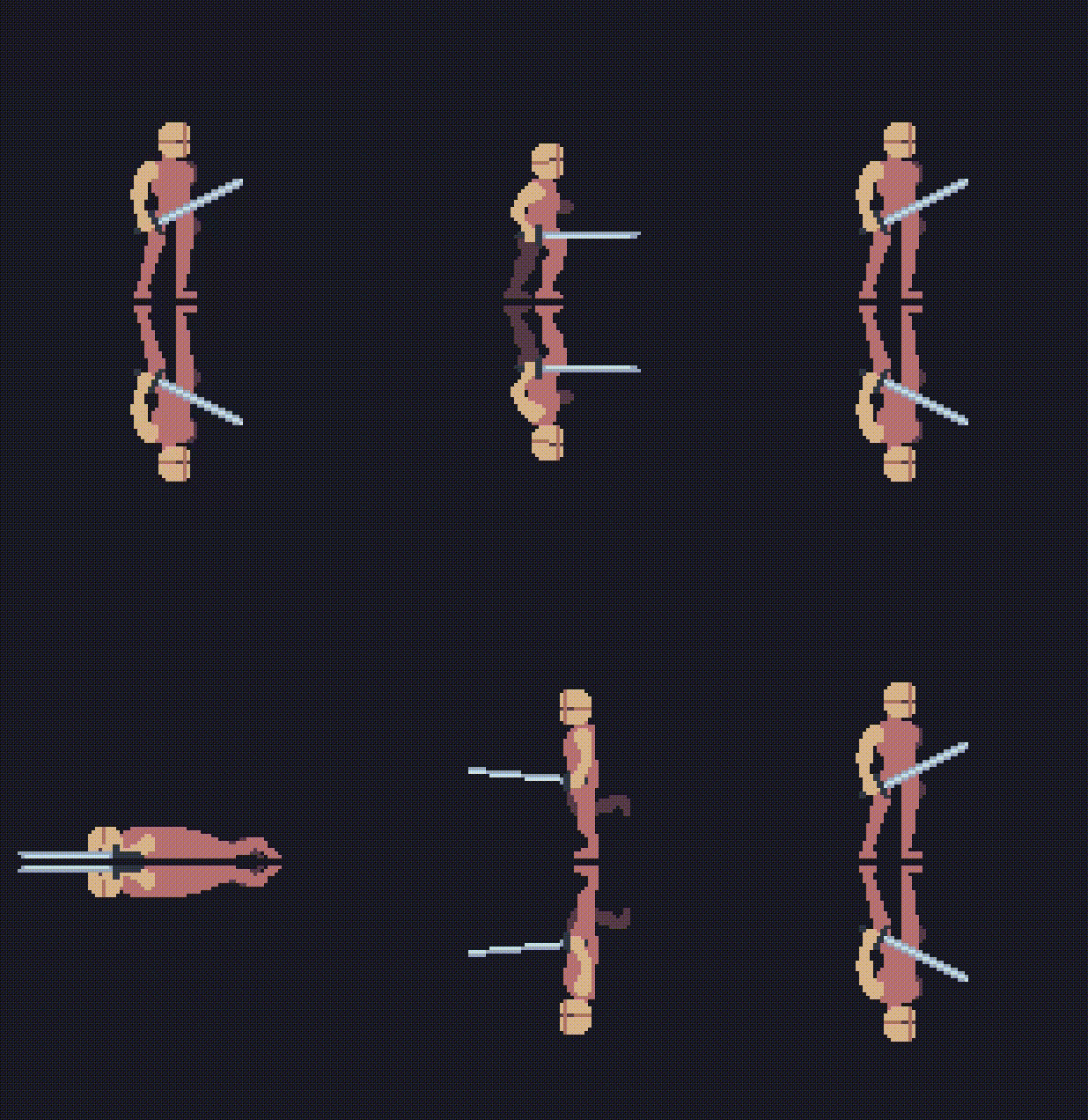
AnimTest lets you import your sprite animations (GIFs, spritesheets, PNGs), bind them to keyboard keys or gamepad buttons, and play through them in real time — like a mini state machine for your character's moveset. It's the step between "I finished my sprites" and "let me wire them up in Godot/Unity."
I designed it with pixel art in mind, but it should work just fine with any kind of art — HD sprites, hand-drawn animation, whatever you throw at it as GIFs or spritesheets.
How to use
Import your animations — drag & drop GIFs or horizontal spritesheets onto the left panel. AnimTest decodes animated GIFs frame-by-frame (respecting per-frame delays) and auto-slices horizontal spritesheets.
Preview mode — click any animation on the list to watch it loop in the central stage. Use the toolbar to adjust zoom (1x–8x), background color, pixel grid overlay, or force a specific FPS.
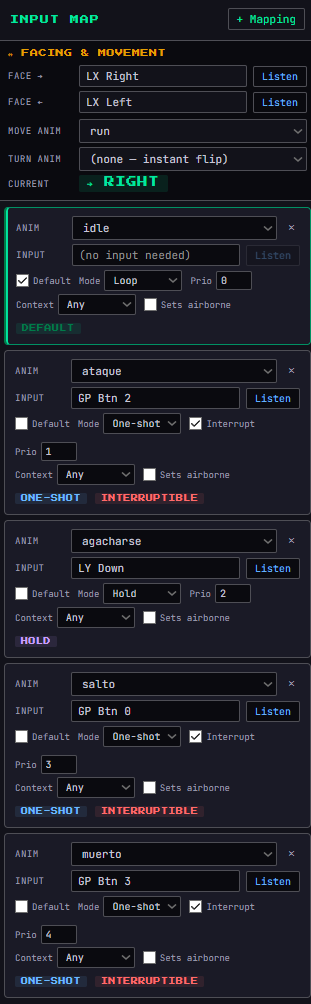
Play mode — switch to PLAY and set up your input mappings on the right panel:
- Add a mapping, pick an animation, click Listen, and press the key or gamepad button you want to bind.
- Mark one mapping as Default — that's your idle animation, always playing when nothing else is active.
- Choose a play mode per mapping:
- Loop — repeats while input is held
- One-shot — plays once and returns to idle
- Hold — plays once, freezes on the last frame while input is held
- Set priority so the right animation wins when multiple inputs overlap.
- Use context (Grounded / Airborne) to restrict animations — e.g. air attacks only trigger mid-jump.
- Toggle Sets airborne on your jump animation so airborne-context mappings become available.
- Interruptible controls whether a one-shot can be cut short by another action.
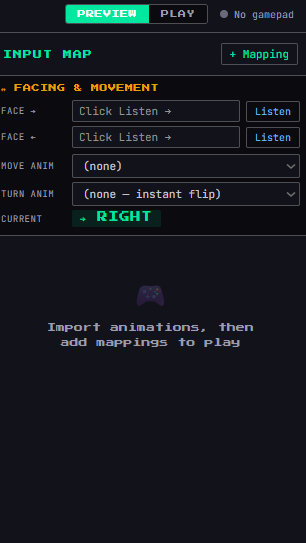
Facing & direction — bind left/right inputs in the Direction section. Assign a move animation (walk/run cycle triggered by directional input) and optionally a turn animation that plays before flipping the sprite.
Gamepad support — plug in a controller and AnimTest detects it automatically. Buttons and stick axes can be bound just like keyboard keys.
Export / Load config — save your full mapping setup as a JSON file. Reload it later on updated sprites — bindings match by animation name, so you can iterate on your art without redoing the config.
Features
- Built-in GIF decoder (interlace, transparency, all disposal modes)
- Auto-detection of horizontal spritesheets
- Drag & drop animations onto mappings
- Full state machine: idle → action → return, with suspend/resume for interrupted airborne animations
- Automatic horizontal flip based on facing direction
- Real-time overlay: current state, frame counter, FPS, active inputs
- Pixel-perfect rendering at any zoom level
Tips
- You can drag an animation thumbnail from the left panel and drop it directly onto a mapping card on the right.
- Set FPS to 0 to use each GIF frame's native delay — useful for animations with variable timing.
- The pixel grid is helpful at 4x+ zoom to verify alignment.
- Your config JSON is portable: share it with collaborators along with your sprite files.
Leave a comment
Log in with itch.io to leave a comment.