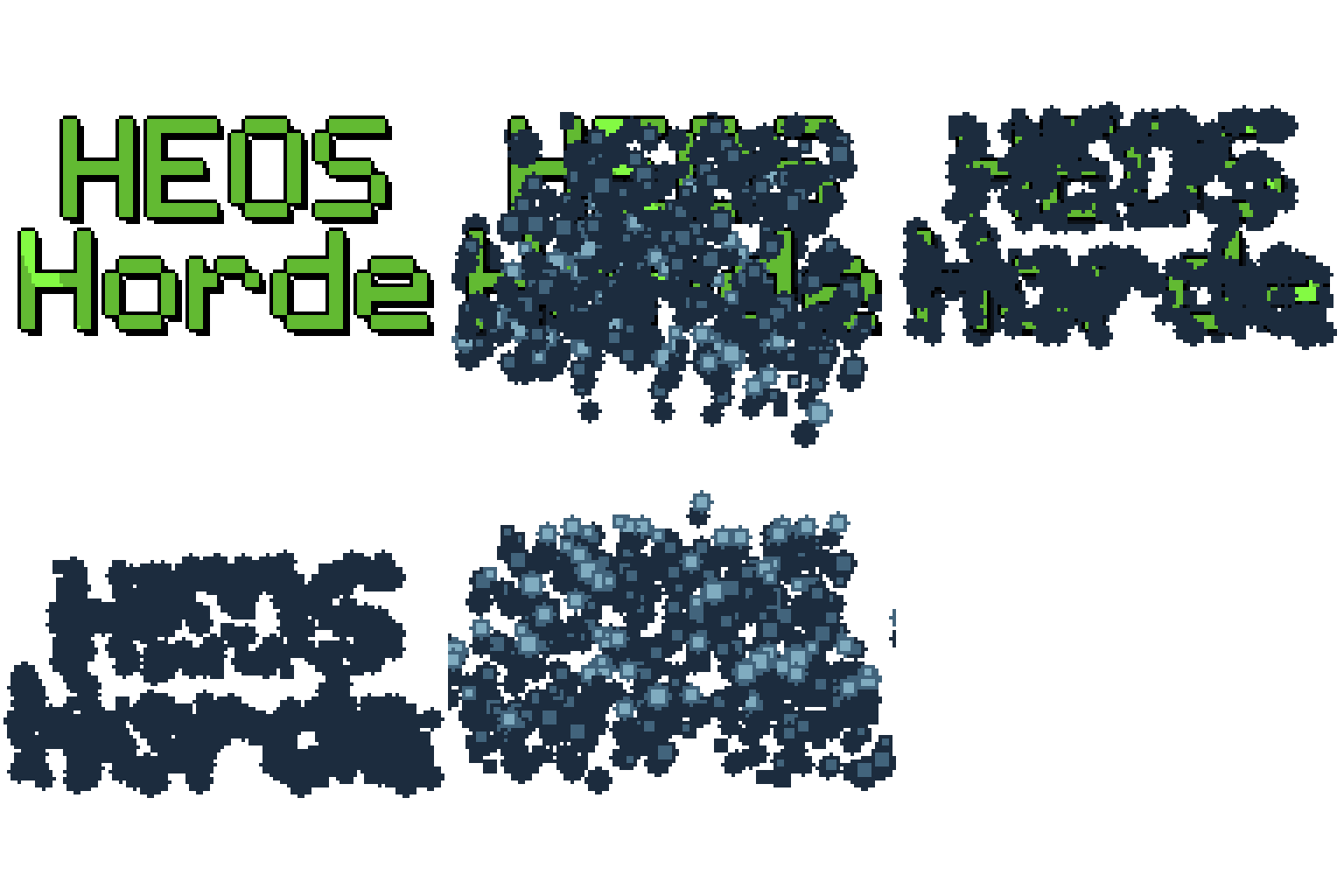
Heos Horde
A downloadable tool
Heos Horde is a Lua script for Aseprite that sends a swarm of stamps over a shape, covers it, and leaves.
Perfect for insects, locusts, dust, snow, embers, confetti, leaves, bubbles, or any particle horde effect in pixel art animations.
Examples
Both frames have been drawn. In “Entry,” select Layer 1 for frames 1 through 22 and Layer 2 for frames 23 through 36.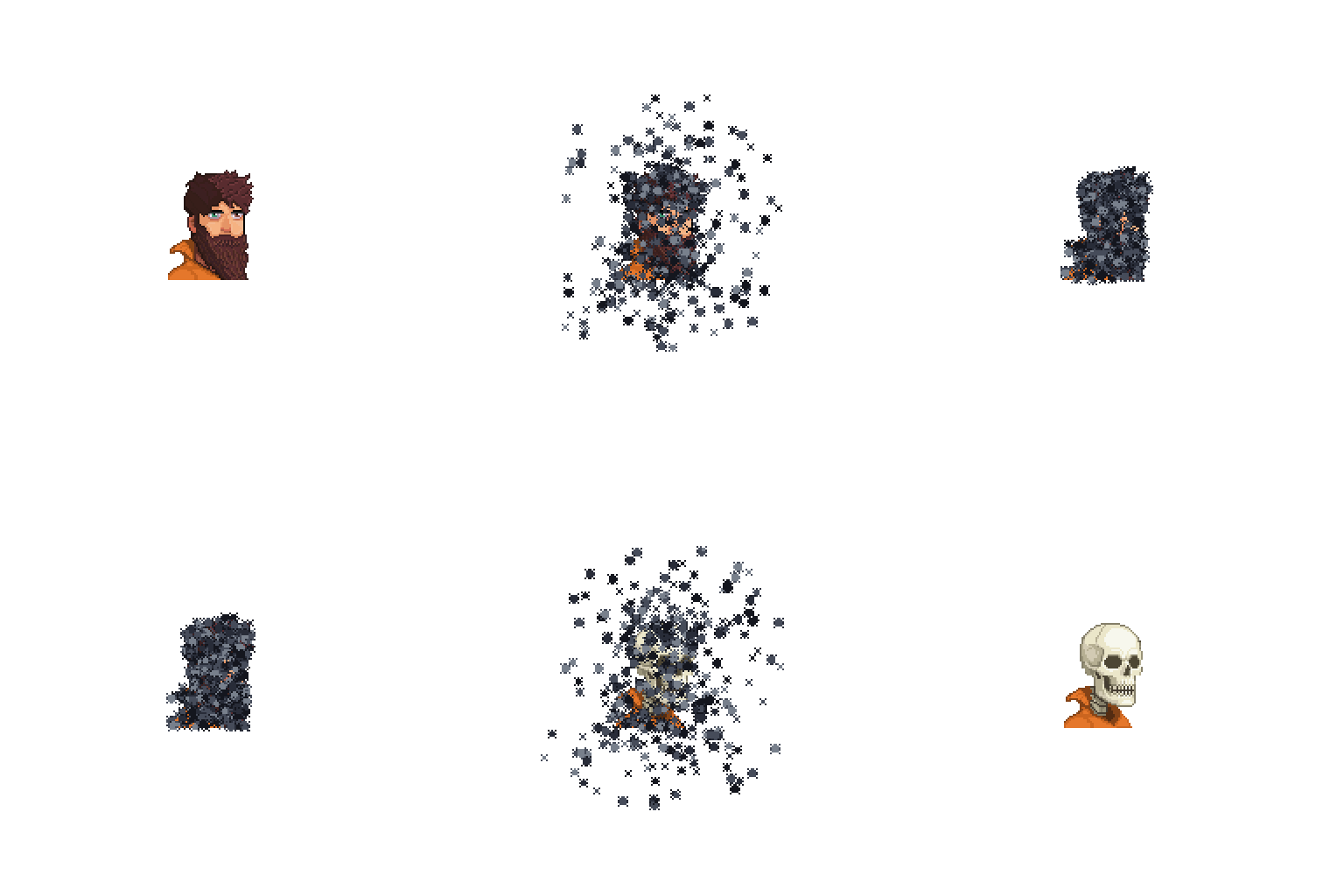
You can also create your own designs. We recommend enlarging the original drawing enough so you can make the particles as detailed as you want.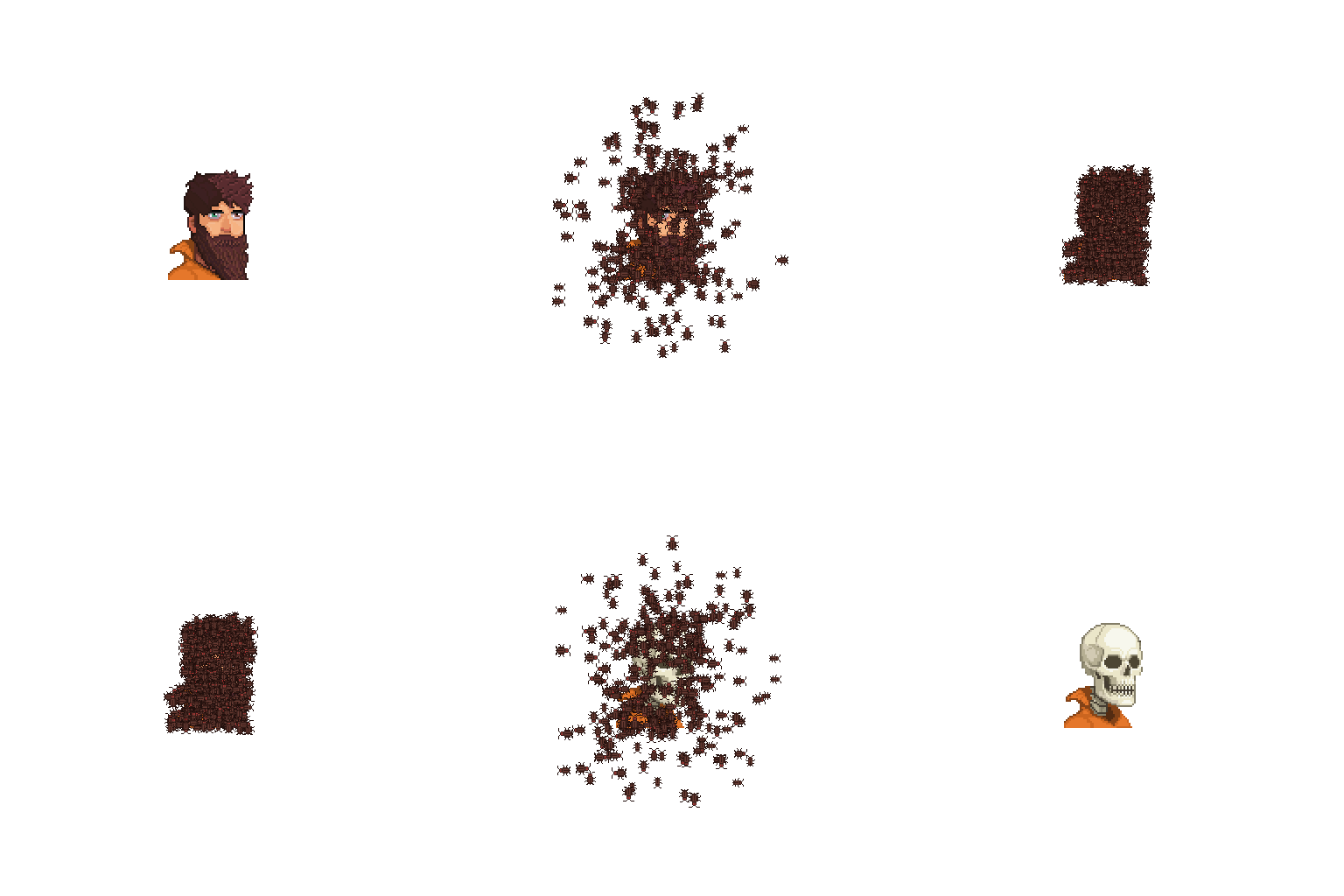
Dedicated layers for spawn, path, and exit path.:
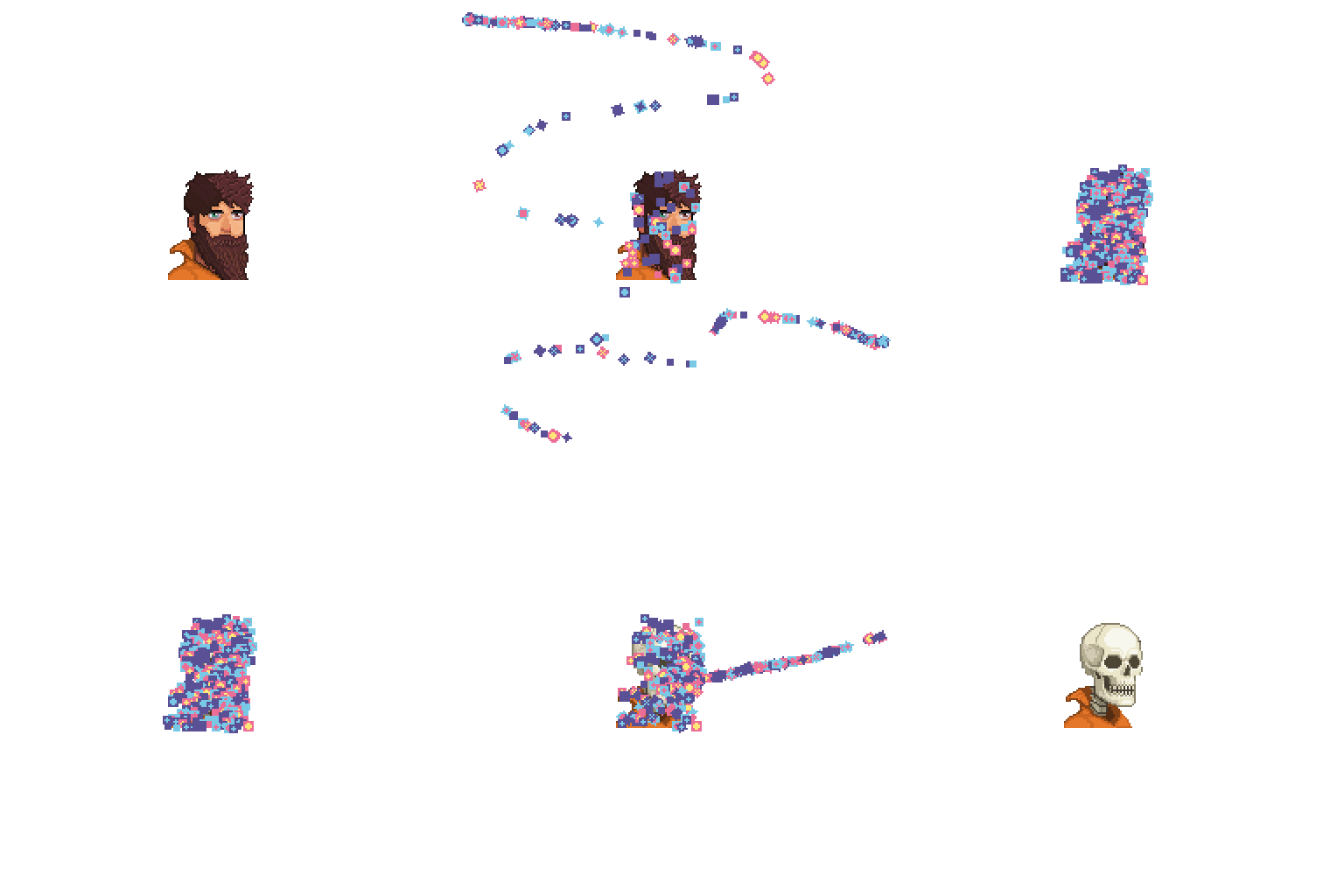
Multiple movement options, acceleration settings, and animation customization: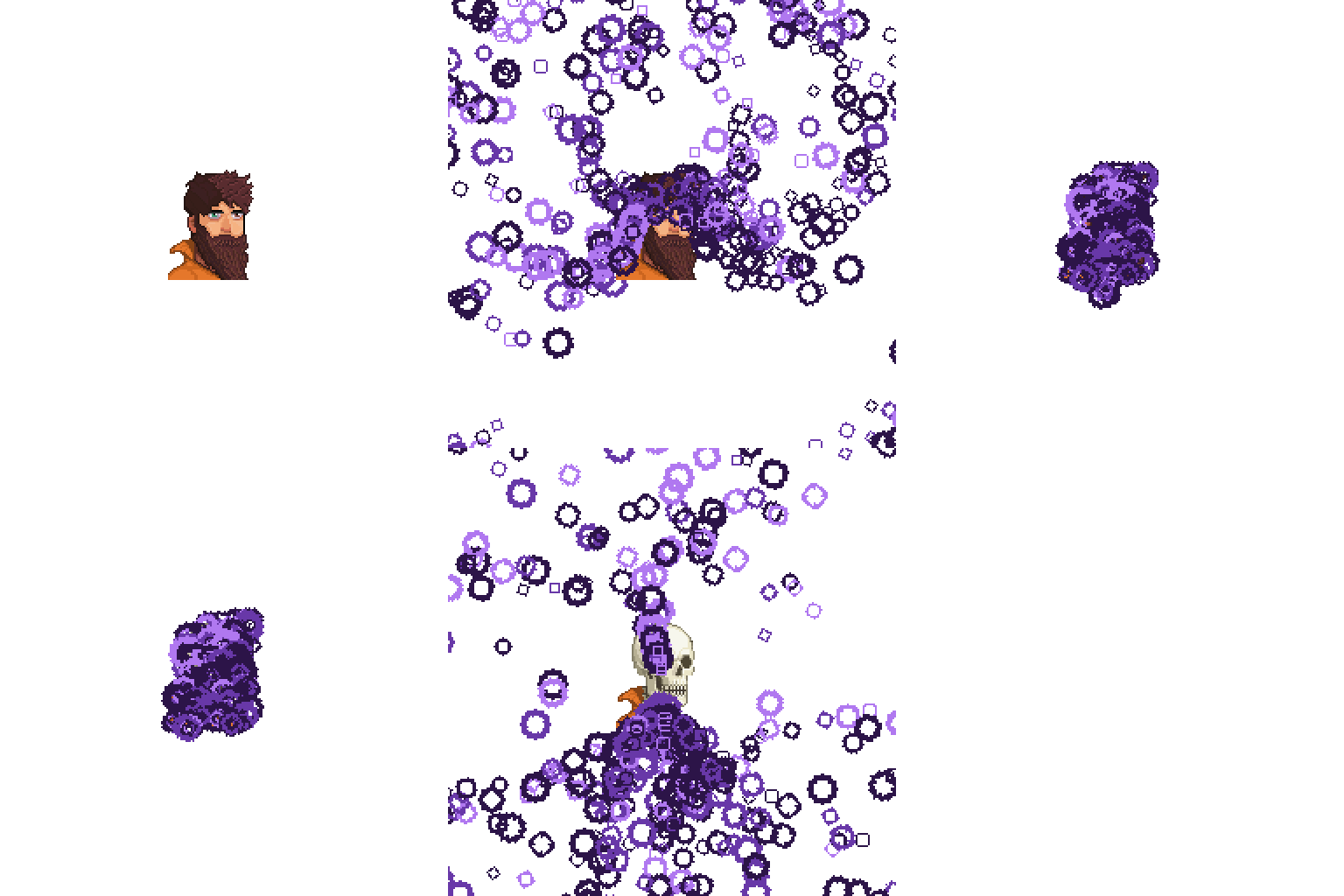
Workflow
1. Pick a target: Visible composites every visible non-Heos layer, Point uses Heos_Point, or choose one of 18 generated figures.
2. Pick a stamp: Bugs is the built-in bug, 18 more figures follow, or draw your own in Heos_Stamp.
3. Set the entry: tick the ring sectors they come from, or paint Heos_Spawn for a hole, a door, or a crack.
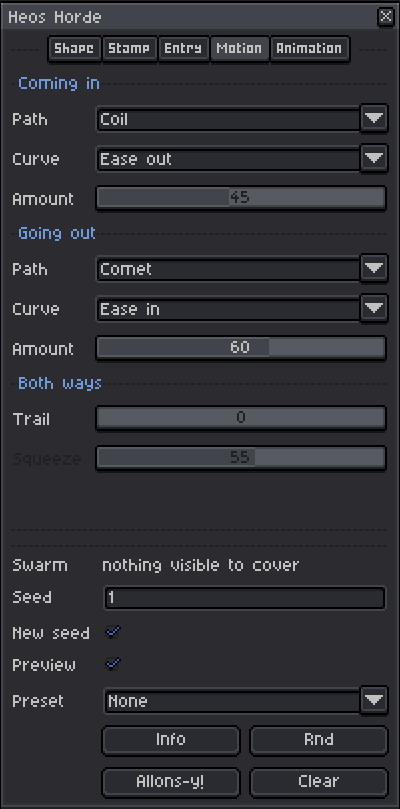
4. Shape the motion: Path, Curve and Amount for coming in and going out.
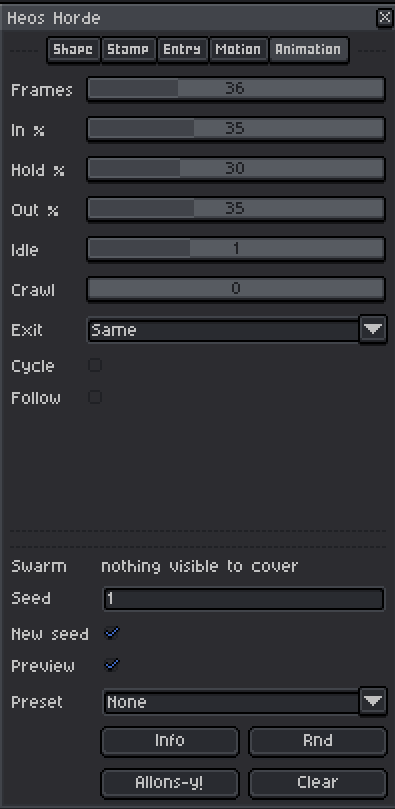
5. Split the timing: set Frames and the In / Hold / Out percentages.
6. Press Allons-y!: render every frame, or Preview to check the current one while you tune.
How the Horde Works
The script builds a mask from your target, scatters slots across it on a staggered grid, and sends one particle to each slot. Every particle is a stamp that flies from a spawn point, lands on its slot, holds, and leaves. A global clock runs from 0 to 1 over the render, and each particle has its own offset inside it, so the swarm breathes instead of moving as one block.
Slots: the grid of landing points inside the shape. Density sets how many, measured against the stamp area, not guessed.
Stamps: your particle. Each separate blob in Heos_Stamp is one stamp, and Fade walks the set from brightest to dimmest.
Clock: (i-1)/(n-1) over the frames. The last frame leaves the swarm already out.
Path: a corridor painted in Heos_Path. Strokes touching a spawn belong to it, loose strokes go to the rest.
Behind: the share of the horde sent to Heos_Horde_Back, built under your art for depth.
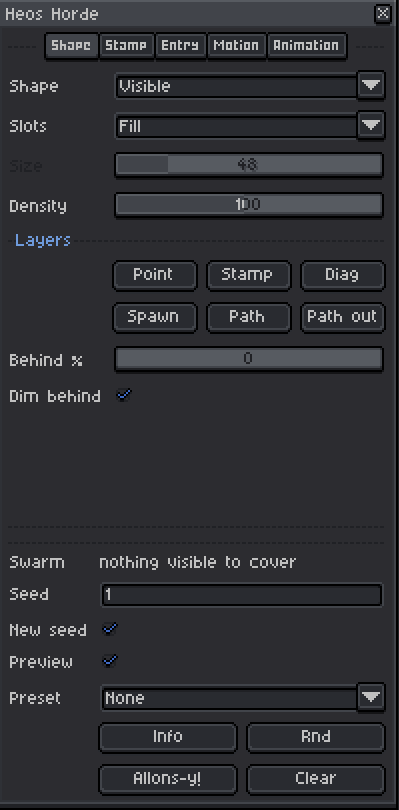
Shape Tab Parameters
Shape: Visible composites every visible non-Heos layer, Point uses Heos_Point, or pick one of the 18 generated figures.
Slots: Fill covers the whole shape, Outline only its edge.
Size: width of a generated shape, 4 to 256 pixels.
Density: 10 to 200. At 100 the shape is fully covered, below it shows through, above it goes solid.
Behind %: share of the horde sent to Heos_Horde_Back.
Dim behind: those go one tone darker, which reads as distance.
Point, Stamp, Diag, Spawn, Path, Path out: the six buttons. Each creates its input layer and leaves it selected, ready to paint.
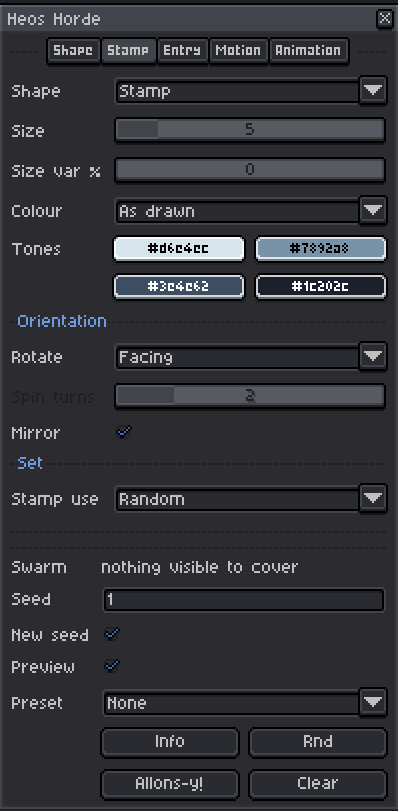
Stamp Tab Parameters
Shape: Stamp uses Heos_Stamp, Bugs is the built-in bug, 18 more generated figures follow.
Size: width in pixels of a generated stamp, 2 to 24.
Size var %: 0 to 100. Spread of sizes, so the swarm stops looking cloned.
Colour: As drawn keeps your pixels, Palette repaints them by spreading the four tones over brightness.
Tones: the four colours the stamp is built from, lightest first. The rim goes one tone darker than the core.
Rotate: None, Facing snaps to 90 degrees, Spin and Free jag it but invent no new colour.
Spin turns: 1 to 6, full turns during the flight.
Mirror: flips each stamp at random.
Stamp use: Random picks one per particle, Fade walks the set from bright flying to dim settled.
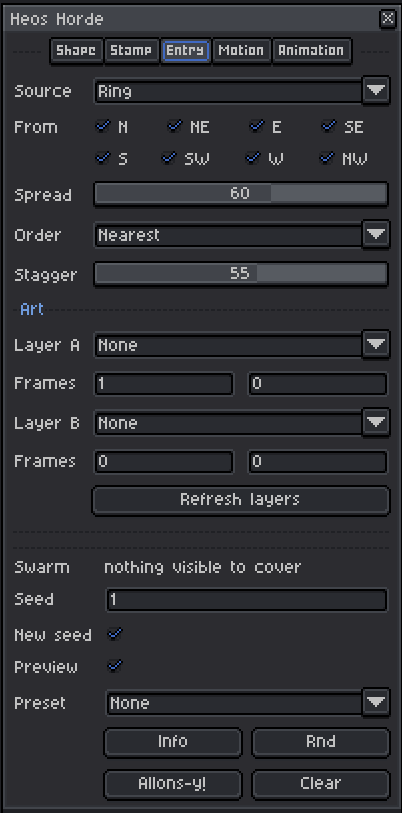
Entry Tab Parameters
Source: Ring uses the eight sectors around the shape, Spawn uses Heos_Spawn. Paint that layer and it switches over by itself, once.
From: the eight sectors of a ring around the shape. Tick every direction the horde can come from.
Spread: 0 to 100. How wide each sector opens. At 0 they come in single file.
Order: Nearest crosses no paths, Random is bug noise, Wave covers front to back like a tide.
Stagger: 0 to 100. Spread of arrival times, 0 lands them all together.
Layer A, Layer B, Frames: your art and the frames it runs. B replaces A starting where A ends. Overlap goes to B, since it is the after.
Motion Tab Parameters
Path: 21 drift patterns, or Path to walk Heos_Path. Spiral, Lasso and Orbit circle the slot instead.
Curve: Linear, Ease in, Ease in-out, Ease out, Hop, or Overshoot, which is the bug brake.
Amount: scales the drift. With Path it sets how much of the corridor width they use, so 0 keeps them single file down the middle.
Trail: 0 to 5 echoes, drawn in the dimmest tone of the set. Nothing trails during the hold.
Squeeze: 0 to 100. How much a narrow stretch of a corridor slows them down. At 0 the width does not touch the pace.
Animation Tab Parameters
Frames: 1 to 120, length of the render.
In %, Hold %, Out %: timing split, normalised so they always sum to one.
Idle: 0 to 3 pixels of jitter while they sit.
Crawl: 0 to 6 pixels of wandering, kept inside the shape.
Exit: Same, Absorb, Burst, Drop, Gather, Rise, Scatter, Spawn, Stream, Swirl or Through. Absorb blinks each bug out where it sits.
Cycle: each bug runs its own cycle and the loop joins up.
Follow: reads the shape each frame and carries the slots with it. Tracks movement and size, not a change of pose.
Seed: same number, same swarm.
New seed: roll a new one on every Allons-y!
Preset: 18 configurations, each writes the whole panel.
Full Presets
The Preset dropdown sets every parameter, including colors, to a themed configuration. You can still tweak anything after applying.
Ants: outline walkers streaming from the west in a wave.
Bubbles: circles drifting up and fading as they settle.
Bugs: the default crawling stamp with size variation.
Burrow: spawn to spawn, bugs crawling in and out of holes.
Confetti: spinning squares fluttering down from the north.
Corridor: path in and out, hugging the thickness of your strokes.
Dust: tiny spinning circles scattered on exit.
Embers: sparks rising with a jitter, fading bright.
Geometric: circles spinning once per cycle on symmetric sectors.
Halo: an outline ring that loops, glowing gold.
Leaves: eggs pendulum-swinging down from the north.
Locusts: bugs zigzagging in and through the shape.
Sandstorm: dense dust streaming from the west.
Shards: diamonds bursting outward from the shape.
Snow: circles fluttering straight down, back heavy.
Tide: a wave entering and leaving in an arc.
Vortex: rings orbiting into a swirl.
Warp: circles spiraling in and absorbed at the slot.
Tips
Paint small dots in Heos_Spawn for a subtle entrance, larger blobs for a heavy one. Each separate blob is its own spawn, so a row of cracks gives you a row of doors. In Heos_Path, stroke a corridor that touches a spawn and it belongs to that spawn, otherwise it goes to the loose pool shared by the rest.
Set Fade as the Stamp use and draw two or more stamps in Heos_Stamp, ordered brightest first. That gives you a bright swarm in flight and a dim one at rest, without touching the colors per frame. If Fade does nothing, you have only one stamp in the layer.
Set Behind % above 0 and drag Heos_Horde_Back under your art layer for depth. With Dim behind on, that share goes one tone darker automatically. To inspect the inputs, hide the Heos_Horde layers and bring them back on Clear.
Compatibility
Requires Aseprite 1.3.x or later. Works with RGB sprites only. Grayscale and indexed sprites are not supported.
FAQ
Q: Can I use my own art as a stamp? Yes. Draw it in Heos_Stamp and set Stamp Shape to Stamp. Every separate blob in the layer is a stamp, so a short row of variants gives you Random or Fade for free.
Q: The swarm is not appearing. What is wrong? Check that Shape = Visible and at least one non-Heos layer is visible, or that Heos_Point is painted. The panel tells you which one is missing.
Q: What is the difference between Trail and Stamp use = Fade? Trail repeats the same stamp along the path in the dimmest tone. Fade swaps the stamp itself between a bright set and a dim set. They stack without conflict.
Q: How do I make a loop that joins up? Turn Cycle on and set Frames to the length you want. Each bug runs its own cycle and the last frame matches the first.
Feedback & Support
I love seeing how you use Heos Horde in your projects. If you have questions, ideas, or just want to share what you've made, feel free to leave a comment or reach out directly. It's always great to see your work in action.

If you found this tool useful, taking a moment to leave a rating really helps. Thanks for the support. ❤️
Purchase
In order to download this tool you must purchase it at or above the minimum price of $2.99 USD. You will get access to the following files:
Leave a comment
Log in with itch.io to leave a comment.