Heos Melt
A downloadable tool
Make your sprites melt, drip, shatter, or flow like liquid. No more frame‑by‑frame pain – just draw red attractors (and blue repulsors) and watch the magic happen.
HeosMelt is a Lua script for Aseprite 1.3.x that generates smooth melting, dripping, and particle‑flow animations from any pixel art. Define where you want the pixels to go using simple red doodles, push them away with blue repulsors, pick a behavior, and the script does the rest – frame by frame, perfectly pixel‑accurate.
How it works
- Draw red attractors on a special “Points” layer (use the Attractor button to auto‑switch to red pencil).
- Draw blue repulsors on the same layer (use the Repulsor button for blue pencil).
- Choose how influences combine – Winner‑Takes‑All (each pixel follows its strongest attractor/repulsor) or Field Mode (all forces blend like a smooth vector field).
- Select a behavior – Tar, Magma, Dust, Sand, Water, Drip, Smoke, or Shatter.
- Choose an easing – Linear, Ease In, Ease Out, In‑Out, Bounce.
- Hit Generate – a new layer with a smooth melting animation appears.
Red areas act as “gravity wells” that pull pixels toward them; blue areas act as “explosions” that push pixels outward. In Field Mode, multiple red and blue blobs interact continuously, giving you organic, fluid motion.
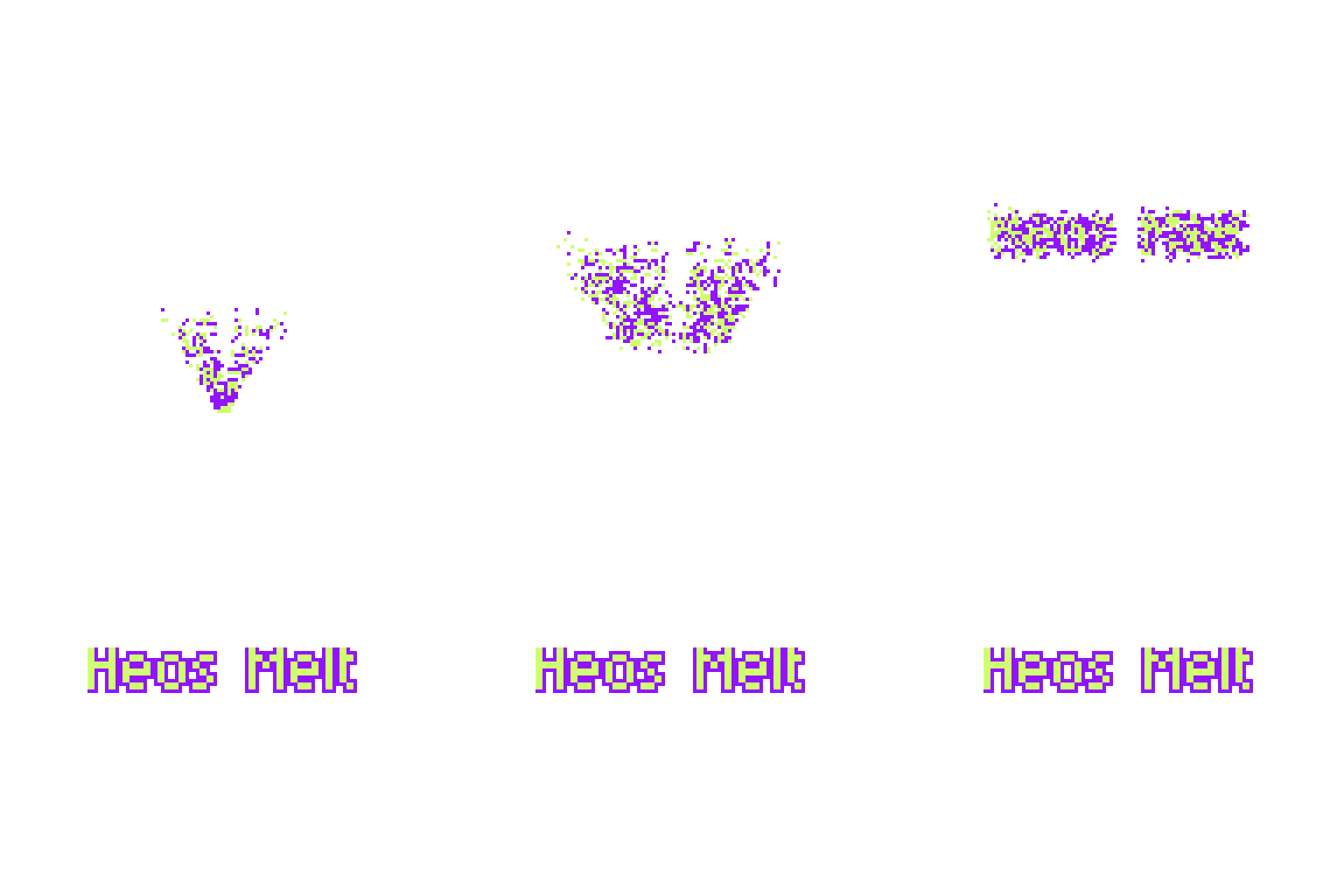
Exemples




Features
- 8 unique behaviors Tar – slow, sticky, viscous flow Magma – bubbly, chunk‑heavy lava movement Dust – each particle moves at its own speed with scatter Sand – falls straight down first, then slides to target Water – flowing with lateral sine waves Drip – drops vertically, then pools and flows Smoke – serpentine, wavy path Shatter – bursts outward, then gets pulled back in
- Attractors & Repulsors – red pulls, blue pushes. Use both together for complex motion.
- Field Mode – smooth, combined influence blending instead of hard winner‑takes‑all.
- Easing curves – control acceleration (Linear, Ease In/Out, Bounce…)
- Contained mode – pixels never leave the original silhouette (great for melting inside boundaries)
- Automatic frame generation – set any number of frames (4–25)
- Clear & Regenerate – instant iteration
- Color helper buttons – quickly switch to the correct layer and red/blue pencil color
- Preserves original colors – every pixel keeps its exact hue
Perfect for
- Melting enemies in pixel art games
- Dripping slime, lava, water, or paint
- Transformations (sand to glass, ice to water)
- Explosions, repulsion effects, goo monsters, spell effects
- Game jams and commercial projects
How to use
- Open your sprite in Aseprite.
- Run HeosMelt.lua from the Scripts menu.
- Click “Attractor” (red) or “Repulsor” (blue) – the script highlights the “Points” layer and sets the correct pencil color.
- Draw red blobs where you want pixels to flow to, and blue blobs where you want pixels to be pushed away from.
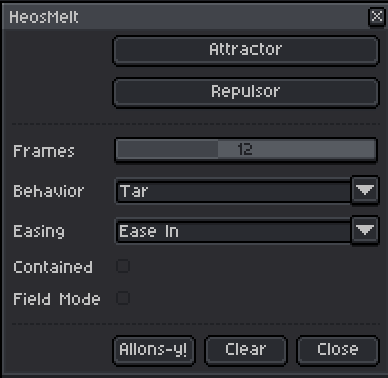
- Adjust frames, behavior, easing, Contained checkbox, and Field Mode.
- Press “Allons‑y!” – a new “Melt Result” layer with the full animation appears.
- Tweak and regenerate as needed.
💡 Note: The “point” layer is automatically hidden when the animation is generated and reappears when “Clear” is used.
Random tip
- Combine red attractors of different sizes – large red areas create stronger “pull” (based on pixel count). You don't have to use both types of “point” (personally, I prefer to use just the attractor)
- Add blue repulsors to create explosions or to keep certain areas clear.
- For complex flows, draw red lines or blobs – the script treats continuous shapes as attractors, not just single points.
- Turn on Field Mode when you want a smooth mix of several attractors and repulsors instead of a single dominant force. The effect is much more subtle and less destructive
- You can continue the same animation. Create an initial animation, rename the layer, and place a new “point” on the frame where you want to continue. This will allow you to create more complex animations.
💬 Feedback & Support
I love seeing how you use Heos Melt in your projects. If you have questions, ideas, or just want to share what you’ve made, feel free to leave a comment or reach out directly. It’s always great to see your work in action.

If you found this tool useful, taking a moment to leave a rating really helps. Thanks for the support ❤️
Purchase
In order to download this tool you must purchase it at or above the minimum price of $1.99 USD. You will get access to the following files:
Leave a comment
Log in with itch.io to leave a comment.