Heos Mesh
Heos Mesh
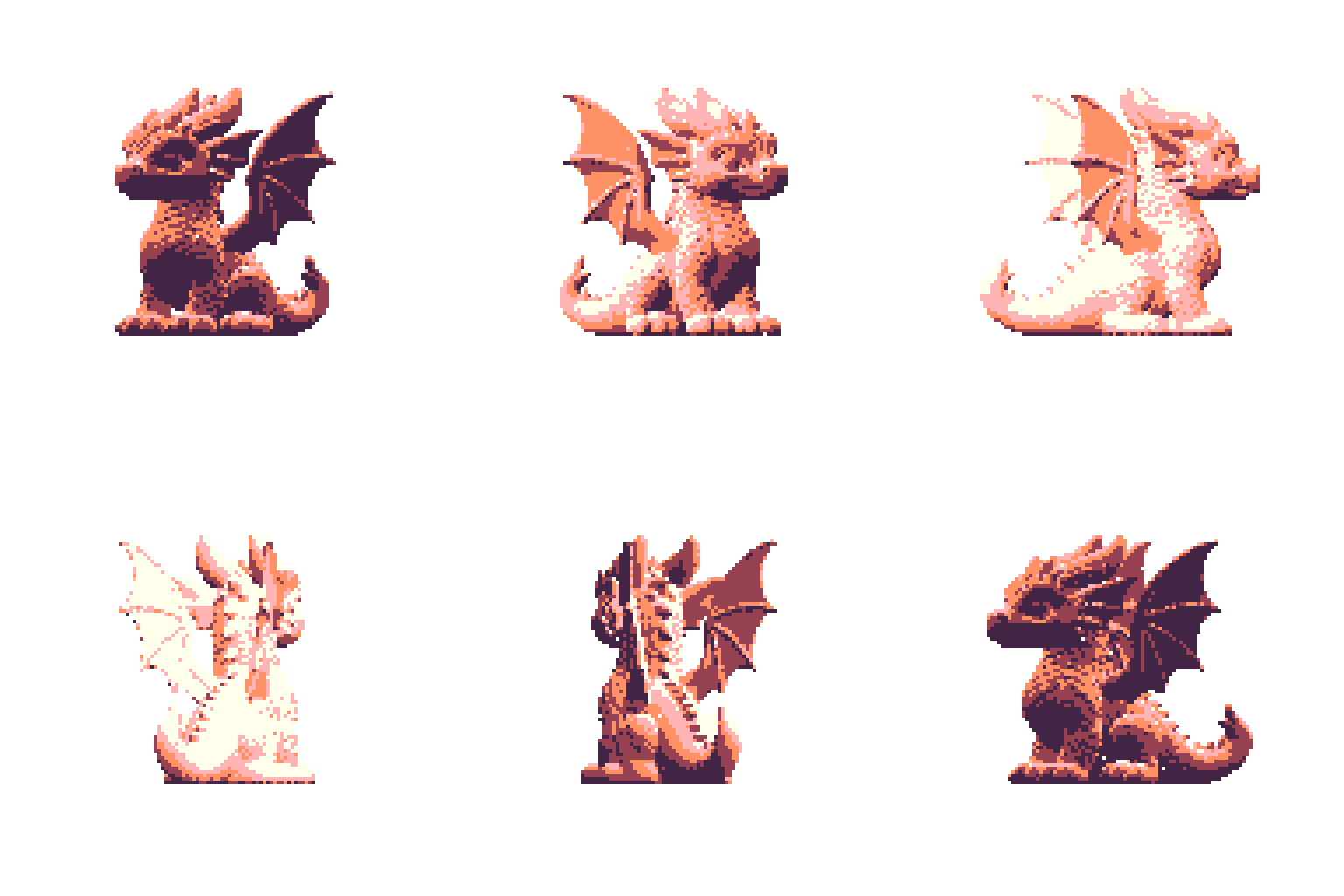
Heos Mesh is a Lua script for Aseprite that renders 3D models (OBJ/STL) as pixel art with orthographic projection, quantized lighting, and camera animation. Perfect for creating isometric sprites, game assets, animations, or simply exploring 3D geometry in a pixel art context.
You can create your own models in Blender or download files from Thingiverse or Makerworld. There is some vertex optimization for large models, but you need to exercise some caution.
Examples
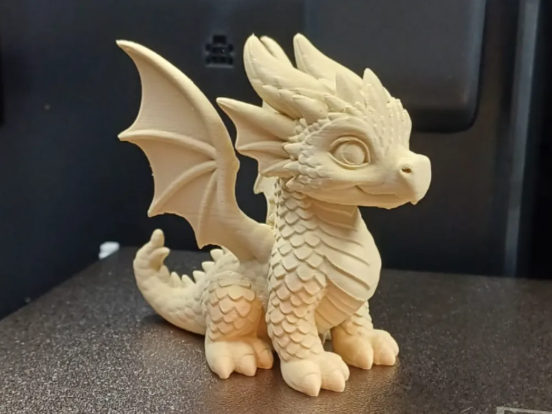
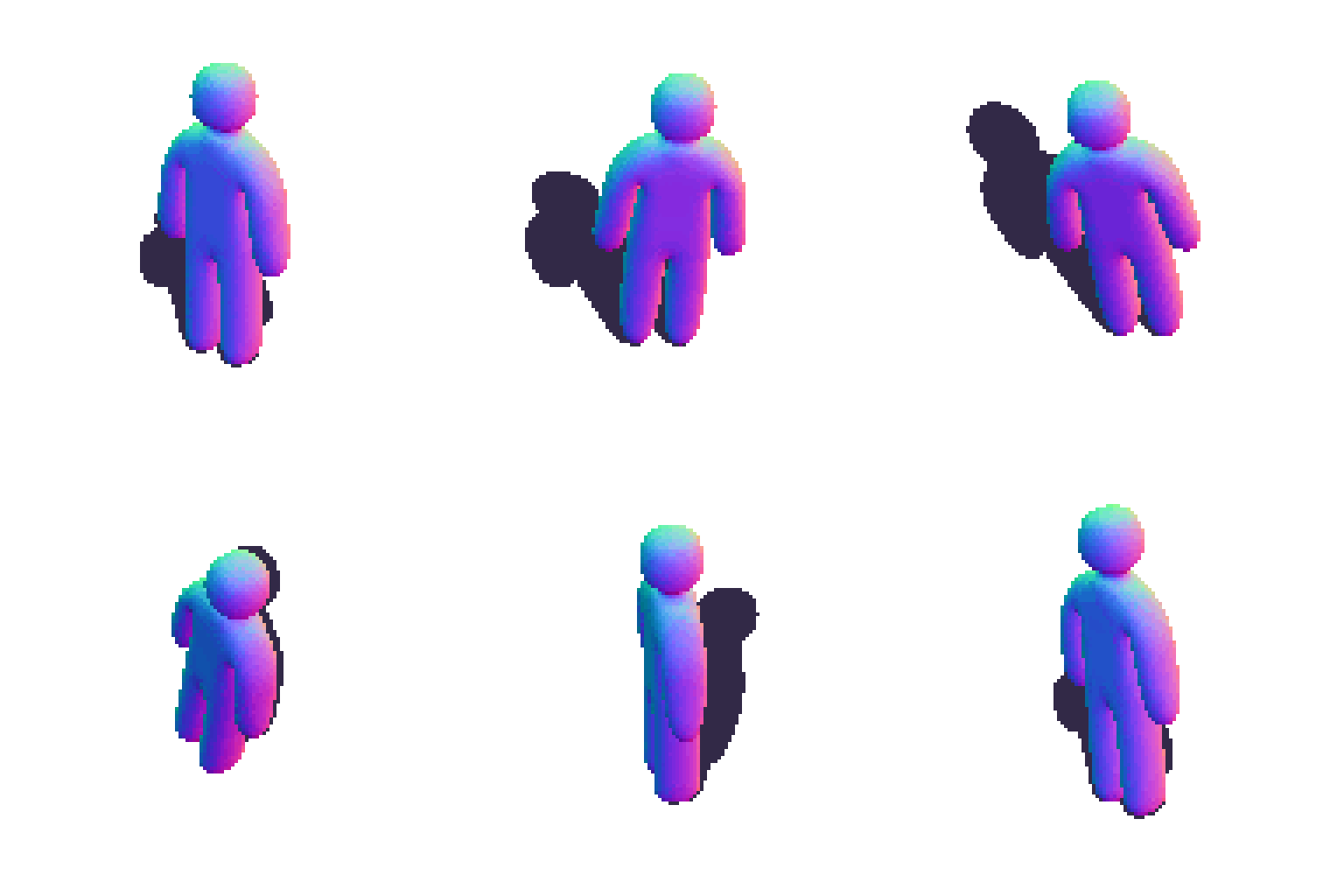
This model:
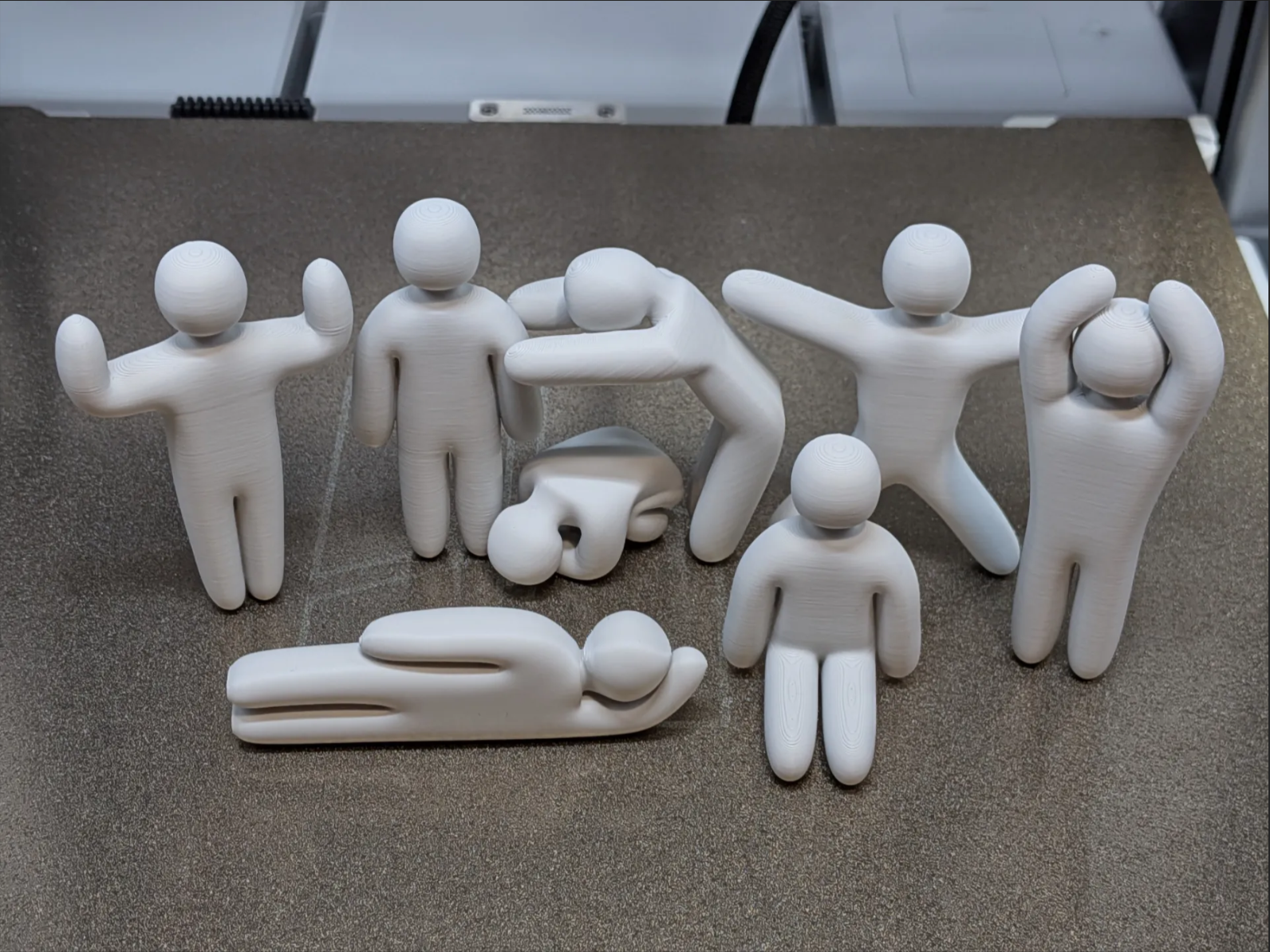
With a normal map (you can also create a depth map)
Workflow
1. Open your sprite: Start with an RGB sprite (any size, any palette).
2. Load a model: Choose an OBJ or STL file in the Model tab.
3. Preview: Click Preview to see the model rendered in real time.
4. Adjust lighting & colors: Tweak shading, ramp tones, sun direction and base colors.
5. Set up animation: Choose camera or object animation (or keep it still).
6. Render: Click Allons-y! to write the result to your sprite's layers.
How Rendering Works
Heos Mesh projects a 3D model onto the canvas using orthographic projection.
Quantized lighting: A ramp of 3 to 12 tones maps the brightness of each face to a discrete color level.
Shading modes: From flat color to smooth interpolated normals, dithering, crosshatch, cel shading, and silhouette rim lighting.
Sparse z-buffer: Only the visible fragments are stored, optimizing memory usage.
Ground shadow: A projected silhouette on the Z=0 plane, with adjustable opacity.
Normal & depth maps: Optional layers for further compositing or effects.
Model Tab Parameters
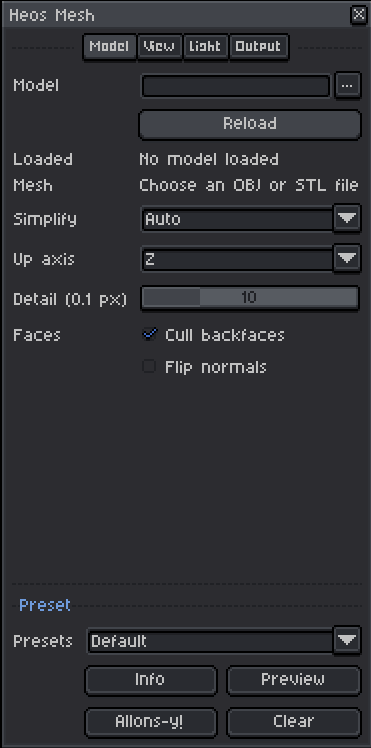
Model file: OBJ or STL. OBJ supports polygon faces, negative indices, and corner normals. STL supports ASCII and binary formats.
Simplify: Auto (120k triangles), High (240k), Low (60k), or Original (no reduction, up to 1M triangles). The script has a limit on the number of triangles it can render. If you don't know how many triangles your file has, leave it set to “Auto.”
Up axis: Z for Blender/3D printing, Y for Y-up exports.
Detail: 0.1 to 4.0 pixels. Higher values merge nearby vertices for a lower-poly look.
Cull backfaces: Faster rendering for closed, correctly wound models.
Flip normals: Flips the winding direction; useful for inside-out models.
View Tab Parameters
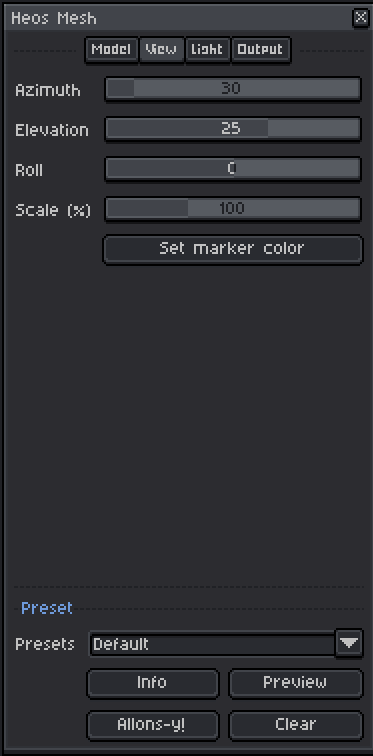
Azimuth: Horizontal camera rotation (0 to 359°).
Elevation: Vertical camera angle (-89 to 89°).
Roll: Camera roll (-180 to 180°).
Scale: Model size as a percentage of the viewport (10 to 300%).
Set marker color: Creates/selects the Heos_Marker layer; paint magenta pixels to place the model's base.
Light Tab Parameters
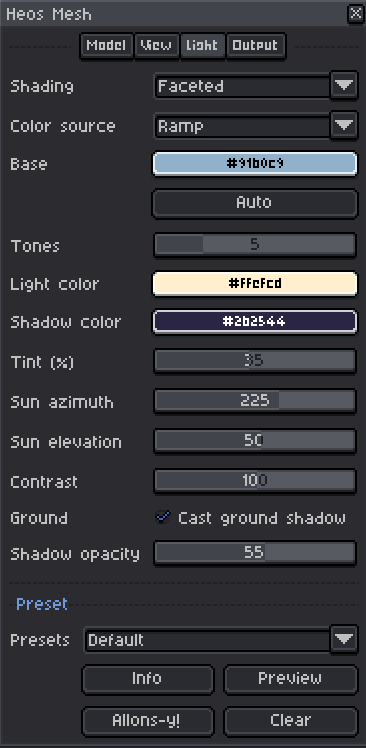
Shading: Flat, Faceted, Smooth, Faceted dither, Smooth dither, Crosshatch, Cel, Silhouette rim.
Color source: Ramp (generated from base/tint/shadow) or Palette (maps ramp colors to the active sprite palette).
Base color: Main model color. Click Auto to pick the current foreground color.
Tones: Number of lighting steps (3 to 12).
Light color: Tint for the bright side of the ramp.
Shadow color: Tint for the dark side.
Tint: How much the light/shadow colors influence the ramp (0 to 75%).
Sun azimuth: Horizontal direction of the light source (0 to 359°).
Sun elevation: Vertical angle of the light (5 to 90°).
Contrast: Lighting contrast (0 to 200%).
Cast ground shadow: Toggles the projected floor shadow.
Shadow opacity: Opacity of the ground shadow (0 to 100%).
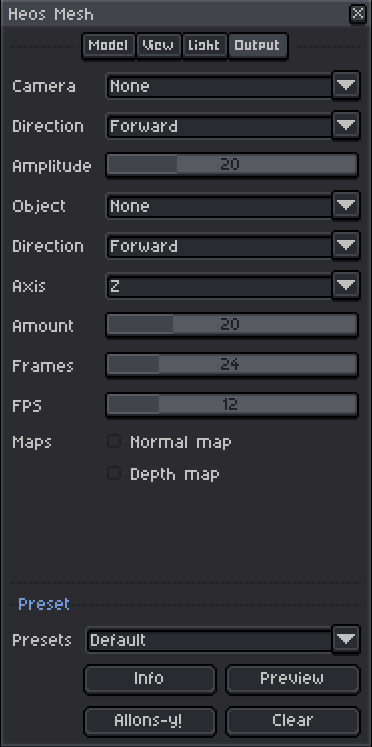
Output Tab Parameters
Camera animation: None, Azimuth, Elevation, Both, Figure 8, Orbit sway, Circle, Roll, Roll sway, Tumble.
Direction: Forward or Reverse for the camera animation.
Amplitude: Camera elevation/figure-eight amplitude (0 to 75°).
Object animation: None, Spin, Bob, Pendulum, Bounce, Float, Orbit, Sway, Pulse, Rock, Tumble.
Direction: Forward or Reverse for the object animation.
Axis: Rotation axis (X, Y, Z) for Spin, Float, Pendulum, and Rock.
Amount: Travel/height in % of model size, or tilt angle in degrees (0 to 80%).
Frames: Loop length (2 to 120 frames). No duplicate last frame.
FPS: Frame duration (1 to 60 fps).
Normal map: Generates a hidden layer with camera-space normals (RGB: right, up, toward camera).
Depth map: Generates a hidden layer with depth (near = brighter, fixed range over the loop).
Full Presets
The Preset dropdown instantly sets all parameters (including colors) to a themed configuration. You can still tweak anything after applying. Available presets:
Default: Balanced settings with Faceted shading.
Unlit: Flat shading, ground shadow off.
Clay: Smooth shading with warm clay colors.
Isometric: 45° azimuth, 35° elevation, Faceted.
Turntable: Spin animation, 24 frames at 12 fps.
Cool shadows: Warm light, cool shadow tint.
Charcoal: Dark, desaturated, high contrast.
Bronze: Metallic bronze tones.
Jade: Green jade-like shading.
Ice: Blue-white, Cel shading.
Sunset: Warm sunset palette.
Soft dither: Smooth dither with 4 tones.
Retro dither: Faceted dither with 3 tones.
Ink hatch: Crosshatch shading.
Comic: Cel shading, 5 tones, high contrast.
Rim light: Silhouette rim shading.
Top view: Camera straight down (89° elevation).
Side view: Camera from the side (90° azimuth).
Orbit: Circle camera animation.
Tumble: Tumbling object animation.
Bounce: Bounce object animation.
Pendulum: Pendulum swing on Y axis.
Tips
Use the Marker layer to control where the model sits in the canvas. Paint magenta pixels (R>120, G<80, B>120) in a layer named "Heos_Marker" to set the base position.
For preview pan/zoom: right-click drag to pan, scroll to zoom, left-click drag to orbit. Double-click to center and fit.
If your model appears too faceted, increase the Detail slider to preserve more geometry, or use Smooth shading for interpolated normals.
Compatibility
Requires Aseprite 1.3.x or later. Works with RGB color mode. OBJ and STL formats are supported (material and texture data are not imported).
Feedback & Support
I love seeing how you use Heos Mesh in your projects. If you have questions, ideas, or just want to share what you've made, feel free to leave a comment or reach out directly. It's always great to see your work in action.

If you found this tool useful, taking a moment to leave a rating really helps. Thanks for the support.
Purchase
In order to download this tool you must purchase it at or above the minimum price of $4.99 USD. You will get access to the following files:
Leave a comment
Log in with itch.io to leave a comment.