Heos shatter
A downloadable tool
Heos Shatter is a Lua script for Aseprite that generates animated radial crack propagation from impact points you paint on a dedicated layer. It creates branching, tapering crack animations with full control over style, thickness, color, and motion curves.
Perfect for making shattered glass, cracked earth, lightning bolts, spider webs, crystal fractures, or explosive damage in pixel art animations.
Workflow
1. Points layer – The script automatically creates a layer named “points” when opened.
2. Paint impact points – On the frame where you want the crack to start, draw your impact points using any color. Larger clusters (more pixels) produce more powerful cracks with more rays.
3. Adjust parameters – Pick a preset or tweak every setting: style, thickness, colors, coverage, frames, branching, distortion, spiral, symmetry, and seed.
4. Generate – Press “Allons-y!” and the cracks propagate radially from each cluster. The animation is drawn on the “Heos Shatter Cracks” layer.
5. Multiple impacts – Go to another frame, paint new points on the points layer, and press “Allons-y!” again. Each run adds a new crack segment on the same output layer without erasing previous ones.
6. Clear – Use the Clear button to remove the crack segment that starts at the current frame.
How Cracks Work
Each impact cluster generates primary rays that walk outward. Rays accumulate jitter, can spawn branches, and lose energy over distance. The total energy (and therefore crack length) is based on your sprite’s diagonal multiplied by the Coverage setting. Clusters with larger painted area (power) produce more rays and slightly more energy.
Symmetry – Adds a chance to fire opposite‑direction rays from the same cluster, creating radial patterns.
Spiral – Applies a constant angular drift to all rays, useful for swirling cracks or lightning.
Distortion – Increases wobble near crack tips, making them look more chaotic or organic.
Taper – Makes cracks thinner as they approach their tips.
Glow – Draws a softer outline (Color B) behind the main cracks.
Crack Tab Parameters
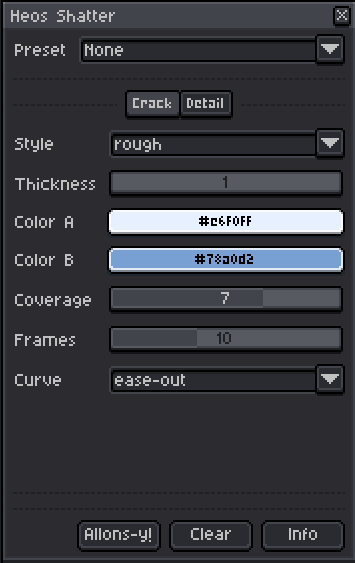
Style – Preset combinations of jitter, branch probability, and maximum depth. Options: clean, rough, branchy, web, lightning, crystal, chaotic, delicate, organic, shard.
Thickness – Line width from 1 to 4 pixels.
Color A – Main trunk color.
Color B – Secondary branches and glow color.
Coverage – How far cracks reach from the impact point (1 = short, 10 = full sprite diagonal).
Frames – Number of animation frames for crack growth.
Curve – Easing of crack spread over time (linear, ease‑in, ease‑out, ease‑in‑out).
Detail Tab Parameters
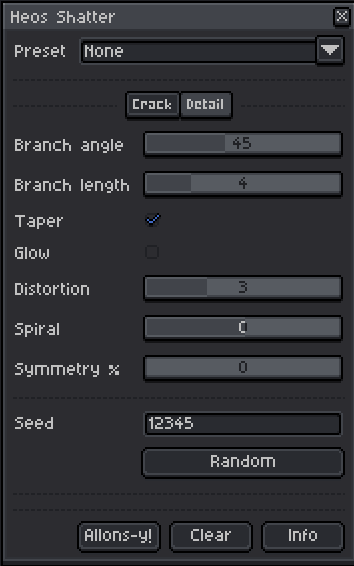
Branch angle – Angle (in degrees) at which sub‑cracks split from the main ray.
Branch length – Minimum steps a ray must travel before it can spawn a branch.
Taper – Gradual thinning toward crack tips.
Glow – Adds a soft halo of Color B.
Distortion – Extra random wobble that increases as the crack fades (0 = none, 10 = wild).
Spiral – Constant angular drift per step (negative values spiral clockwise).
Symmetry % – Chance (0–100%) that a ray also shoots in the exact opposite direction.
Seed – Random seed for jitter, branching, and symmetry. The seed auto‑increments after each generation so you can quickly get fresh variants.
Full Presets
The Preset dropdown instantly sets all parameters (including colors) to a themed configuration. You can still tweak anything after applying. Available presets:
Explosion – Amber flash with orange glow, thick and rough.
Glass Crack – Icy white‑blue, branchy, fine taper.
Spider Web – Light grey, high symmetry, web‑style branching.
Lightning – White‑blue bolt with electric glow, extreme jitter.
Crystal – Mint green, geometric, spiral and symmetry.
Lava – Red‑orange with yellow glow, high distortion.
Delicate – Soft lavender, fine branches, many frames.
Chaos – Hot pink, high jitter, negative spiral.
Ice – Pale ice blue, shard style, wide branch angle.
Organic – Olive green, medium jitter with gentle spiral.
None – Resets all controls to default values without changing colors.
Selection & Region
If you have an active selection in Aseprite, cracks are confined to that area. Otherwise the whole canvas is used. This lets you limit cracking to specific objects or regions.
Tips
Paint small dots for hairline cracks, or large blobs for heavy shattering. Use multiple separate points on the same frame to create overlapping crack networks. To pause the cracks layer visibility, simply hide the “Heos Shatter Cracks” layer. The points layer is automatically hidden after generation to keep the preview clean.
Examples
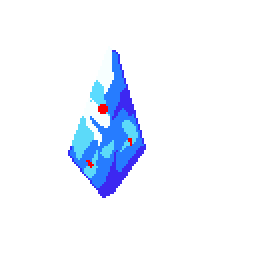
Original art with dots in "Points" layer.
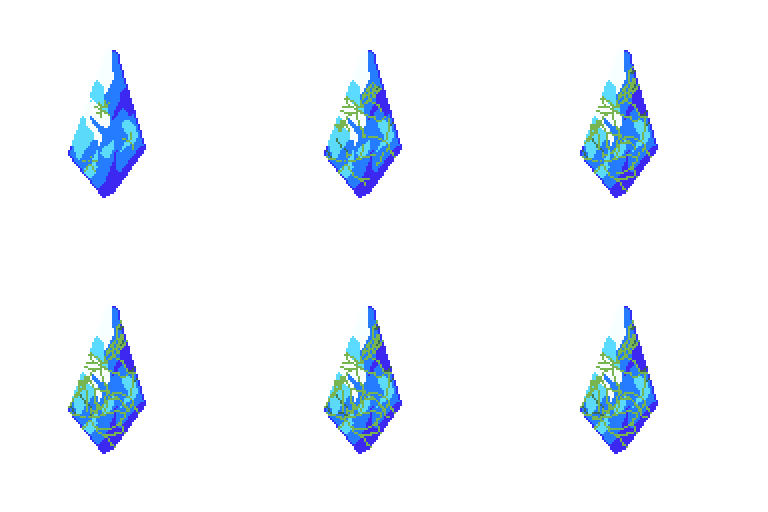
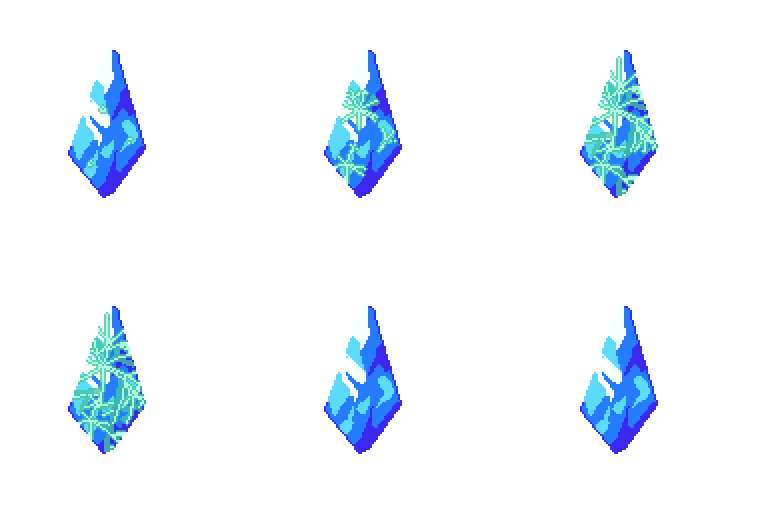
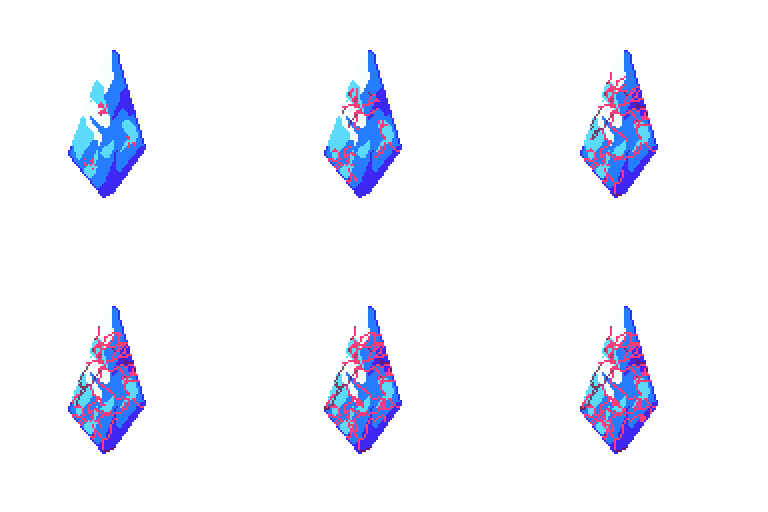
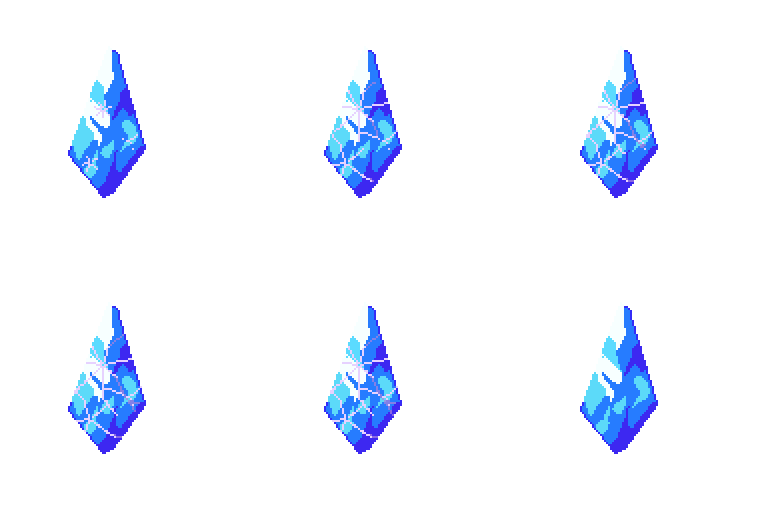
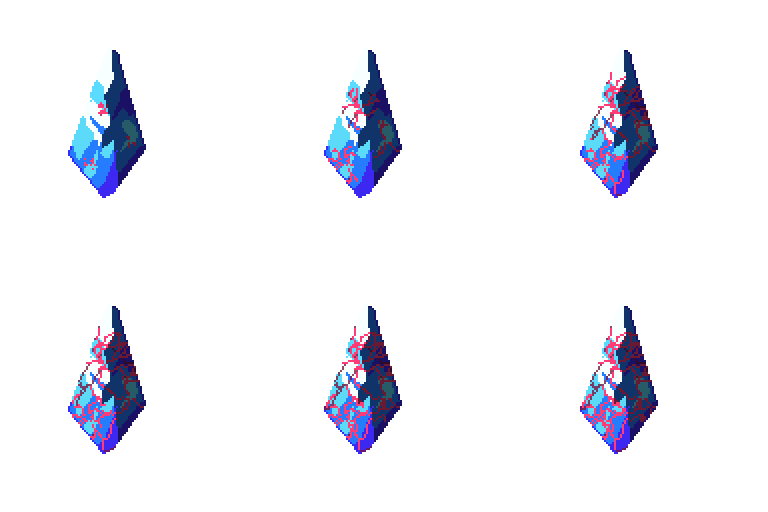
Tip: You can add a layer on top to deepen the shadows and enhance the effect of the cracks.
💬 Feedback & Support
I love seeing how you use Heos shatter in your projects. If you have questions, ideas, or just want to share what you’ve made, feel free to leave a comment or reach out directly. It’s always great to see your work in action.

If you found this tool useful, taking a moment to leave a rating really helps. Thanks for the support. ❤️
Purchase
In order to download this tool you must purchase it at or above the minimum price of $2.99 USD. You will get access to the following files:
Leave a comment
Log in with itch.io to leave a comment.