Heos Shot
A downloadable tool
Do you hate your drawings? Would you like to shoot them so they learn a lesson?
Heos Shot is a Lua script for Aseprite that turns magenta impact points into full‑fledged shot animations: hole, blood, particles, flash, and collapse.
Perfect for bullet holes, slash marks, magical fractures, explosions, or any impact that deserves a spectacular reaction.
Examples
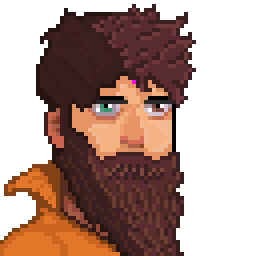
Original with Point:
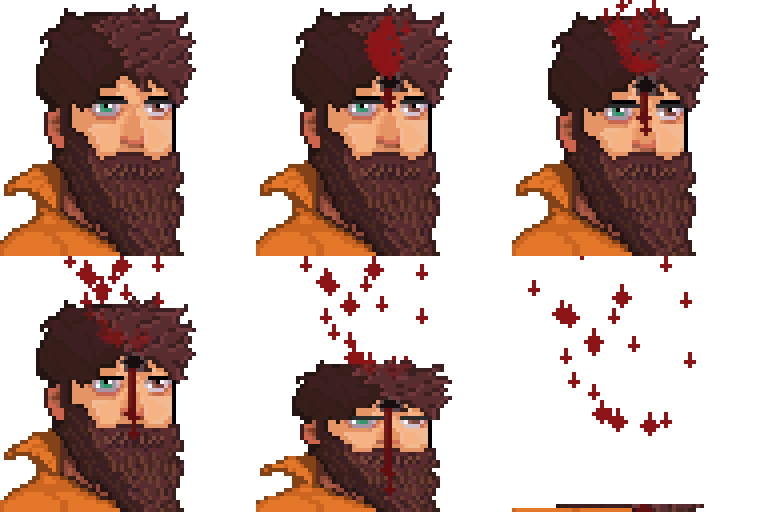
Flesh/Paper
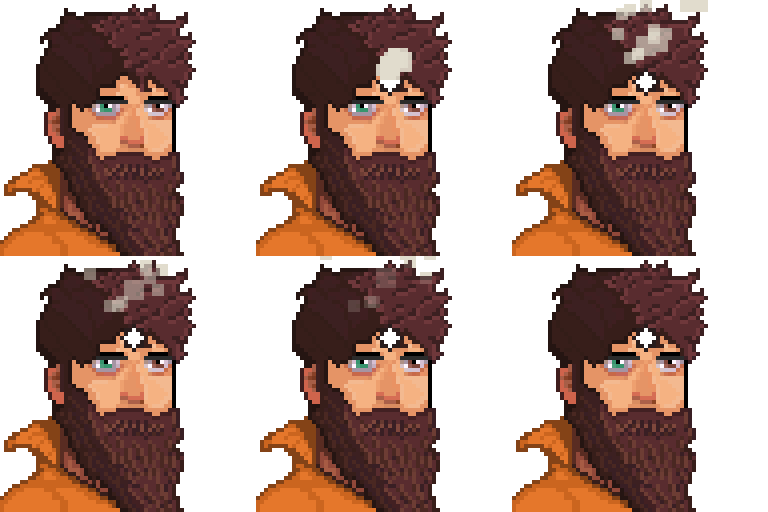
Robot/Paint/ Ice with motion
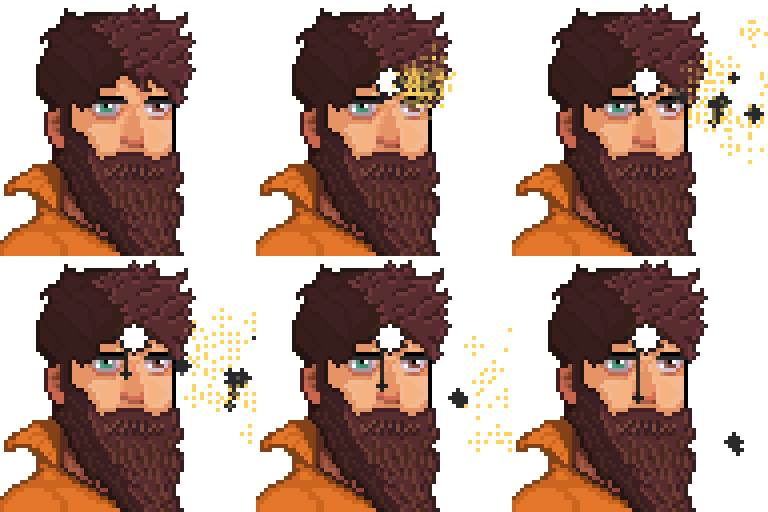
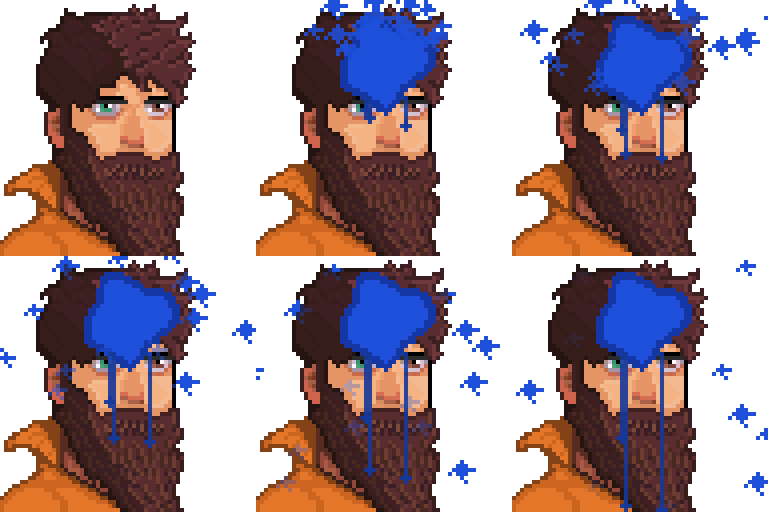
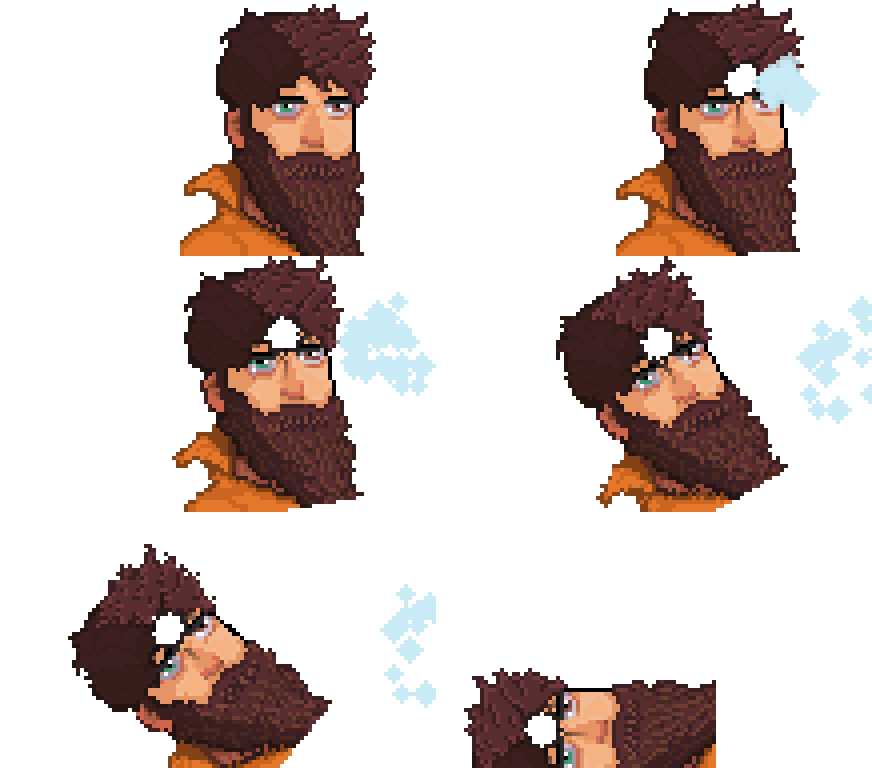
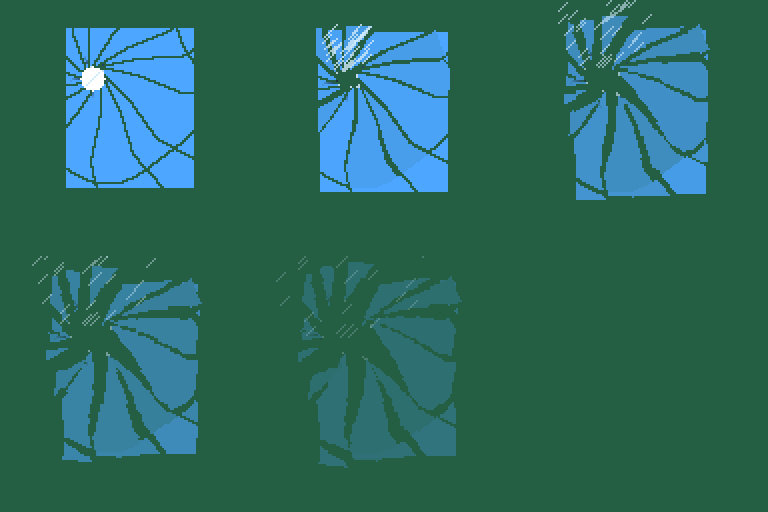
Multiple (in different frames and in the same frame):
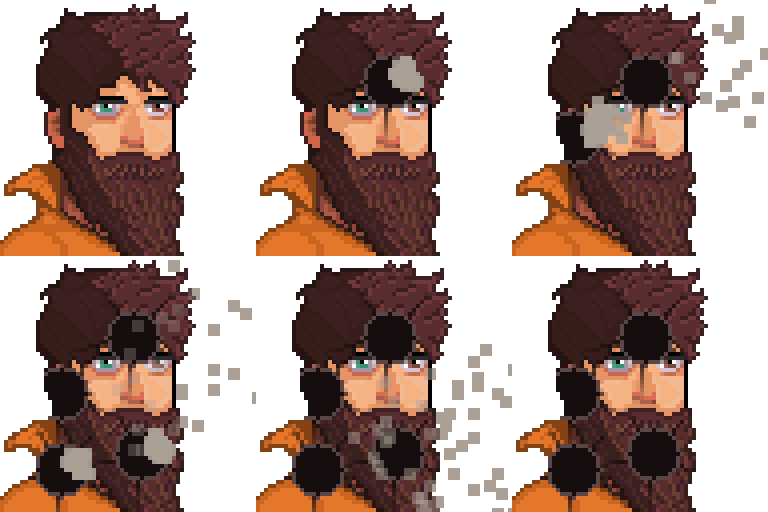
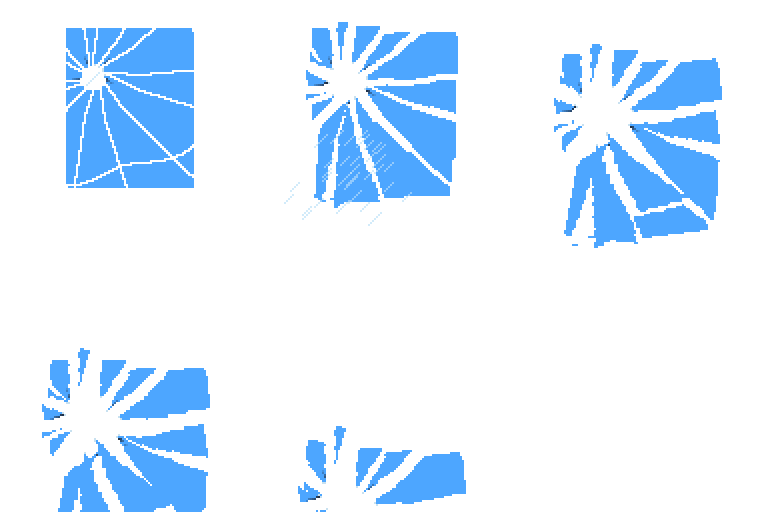
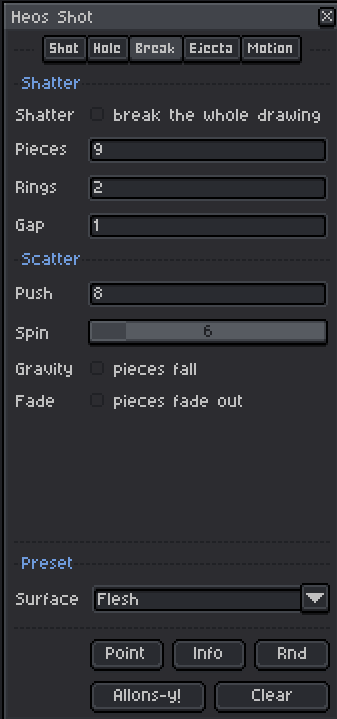
Break:
(Fade/Gravity)
Workflow
1. Point: Press the button and paint a magenta dot where you want the impact.
2. Surface: Pick a preset (Flesh, Metal, Glass…) or tweak parameters manually.
3. Direction: Use the compass or the slider to aim the shot.
4. Allons-y!: Generate the animation. The seed changes automatically each time.
5. Clear: Remove the output layer and restore original visibility to reposition the dot.
6. Sequence: Paint dots on different frames to create a burst or multiple shots.
How Shots Work
The script scans the Heos_Shot_Point layer for magenta pixels. Each cluster becomes a shot that fires on its corresponding frame.
Clusters: Magenta pixels are grouped by proximity, allowing different impact sizes.
Body transform: Visible layers are composited, pierced, and deformed according to the impact trajectory.
Recoil & Ejecta: Knockback, shake, collapse, and projectiles (blood, particles) use simplified physics with seed‑controlled randomness.
Impact Parameters
Direction: Shot angle in degrees (0 = right, 90 = down).
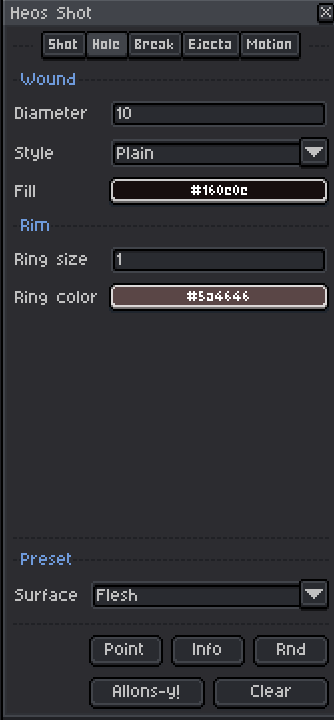
Diameter: Hole size in pixels (1–30).
Style: Hole appearance: Plain, Cracked, Char, or Dent.
Fill: Hole fill colour. Transparent punches a hole.
Ring size: Rim thickness around the hole (0 to hide).
Ring color: Rim colour.
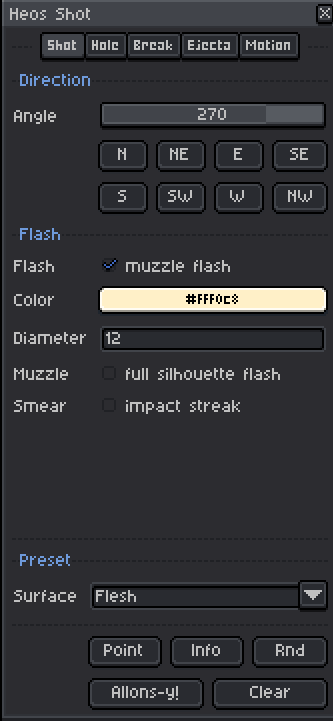
Flash: Enables muzzle flash with custom colour and diameter.
Muzzle: Paints the whole body silhouette in flash colour on the impact frame.
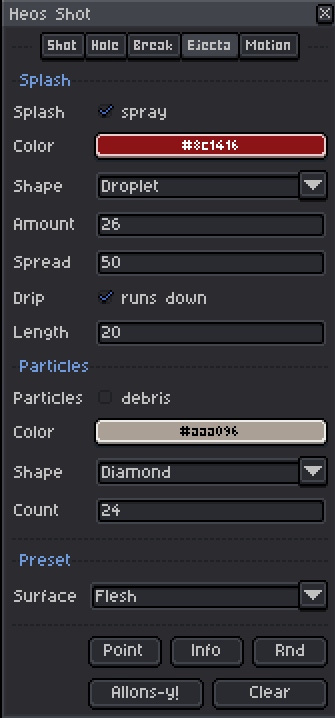
Ejecta Parameters
Splash: Enables blood/projectile spray with selectable colour and shape.
Shape: Droplet style (24 shapes available: Droplet, Splat, Spark, etc.).
Amount: Number of droplets in the spray.
Spread: Cone width (15–130 degrees).
Drip: Runs down from the wound. Length adjustable.
Particles: Debris/sparks with their own shape and colour.
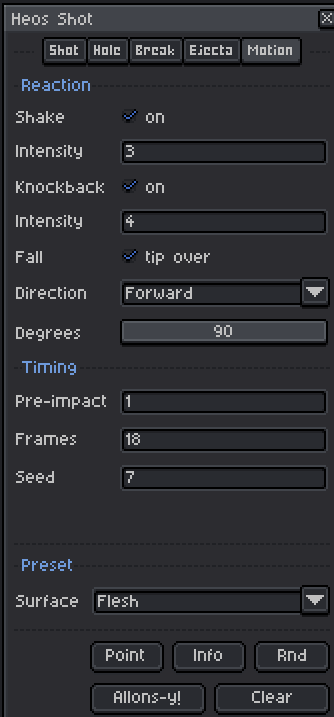
Motion Parameters
Shake: Impact jolt. Intensity 1–8.
Knockback: Brief shove along the shot direction.
Fall: Body tips over or foreshortens. Directions: Forward, Back, Left, Right.
Smear: Motion streak on the impact frame.
Pre-impact: Hold frames before the first shot lands.
Frames: Duration of the reaction animation.
Seed: Randomisation seed. Changes automatically on each generation.
Full Presets
The Surface dropdown applies complete thematic configurations (including colours) to simulate different materials. You can tweak anything after applying.
Flesh: Red blood, irregular hole, forward fall.
Metal: Orange sparks, charred hole, no blood.
Glass: Bright shards, cracks, no blood.
Wood: Brown splinters, sideways fall, no blood.
Slime: Green splash, viscous drip, slow fall.
Zombie: Greenish blood, heavy drip, forward collapse.
And many more: Concrete, Stone, Ice, Gold, Crystal, Robot, Fruit, etc.
Selection & Region
The script composites all visible layers on the current frame. If you have an active selection, holes and effects are confined to that area; otherwise, the whole canvas is used.
Compatibility
Requires Aseprite 1.3.x or later. Works in RGB and Grayscale colour modes. Indexed mode is not supported.
Tips
Use Clear before repositioning dots if you want a fresh start. The Rnd button randomises every parameter and generates immediately, perfect for unexpected results.
Drips automatically follow the body's motion: if the character falls, the stream stays on the wound. To pause the animation, hide the Heos_Shot layer.
Feedback & Support
I love seeing how you use Heos Shot in your projects. If you have questions, ideas, or just want to share what you've made, feel free to leave a comment or reach out directly. It's always great to see your work in action.

If you found this tool useful, taking a moment to leave a rating really helps. Thanks for the support. ❤️
Purchase
In order to download this tool you must purchase it at or above the minimum price of $1.99 USD. You will get access to the following files:
Leave a comment
Log in with itch.io to leave a comment.