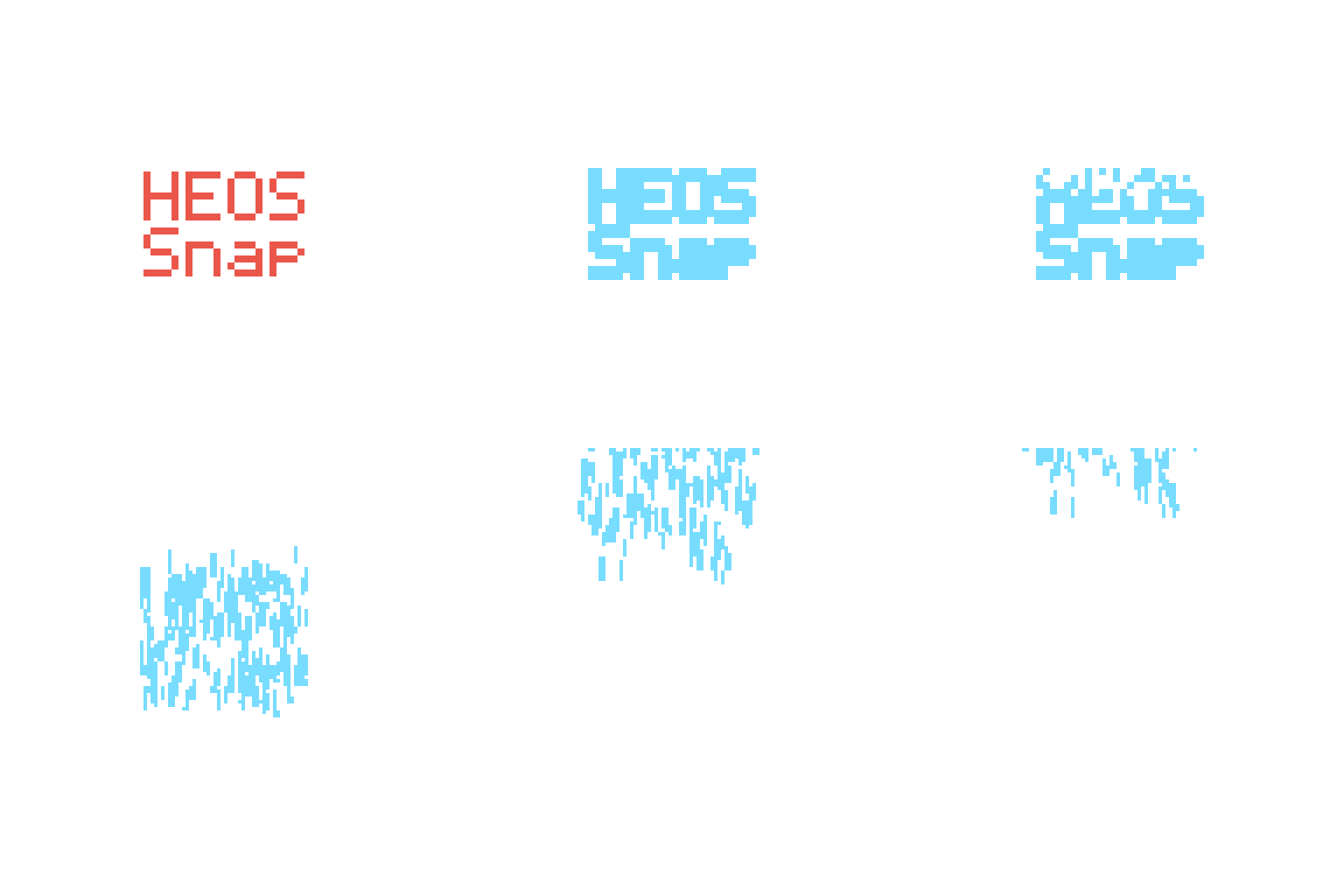
Heos Snap
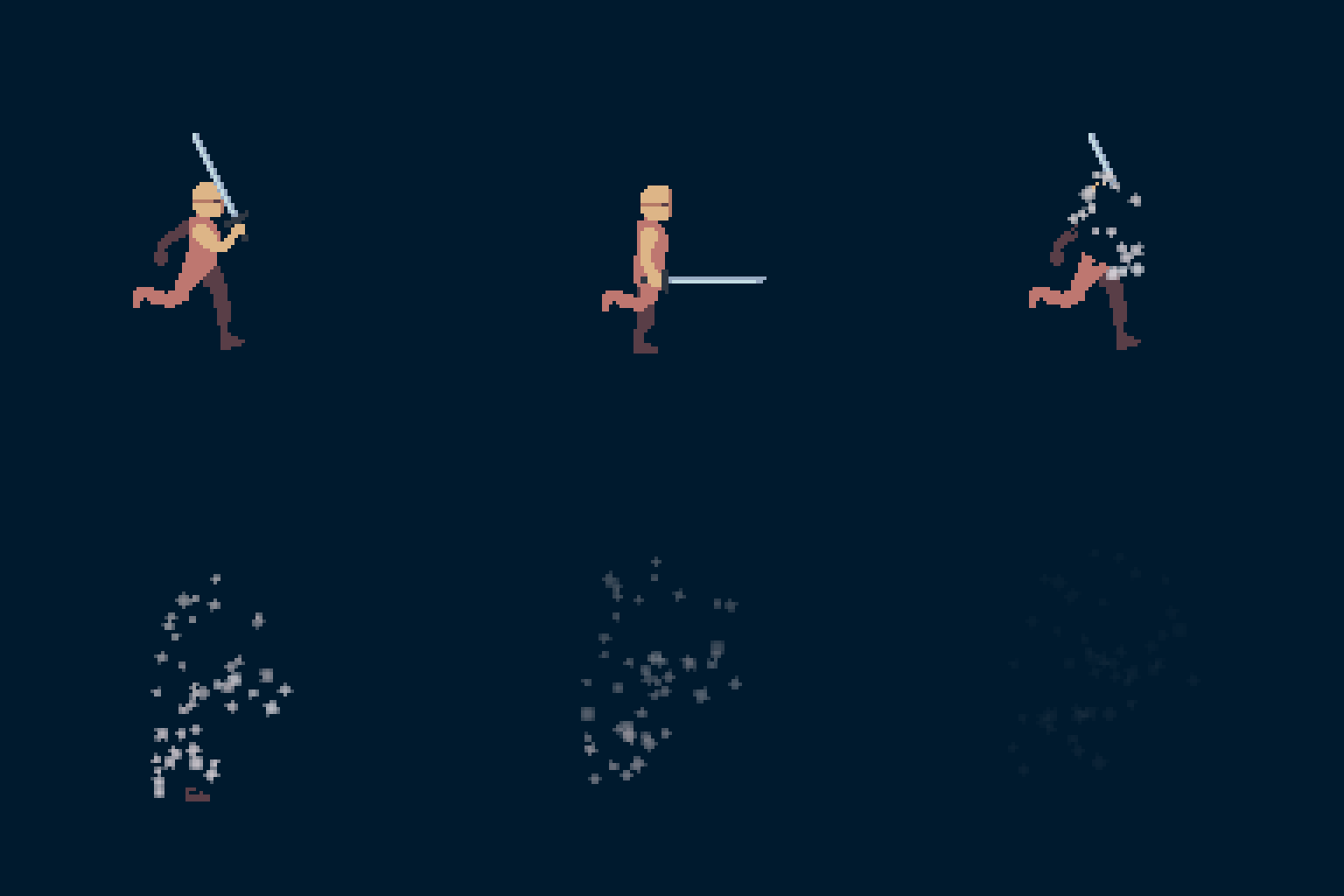
Heos Snap is a Lua script for Aseprite that dissolves your artwork into escaping particles, with a flash and a wide set of shapes, colors, and motion controls.
Perfect for teleportation effects, death animations, magic dissipation, or any moment where a character or object needs to vanish or materialize.
Examples












Animation ON:
Workflow
1. Position: Go to the frame where the snap happens.
2. Preset: Pick a preset or dial in the tabs yourself.
3. Direction: Set the escape angle with the compass buttons or the Angle slider.
4. Generate: Press Allons-y! to build the sequence.
5. Iterate: Adjust anything and press Allons-y! again, it regenerates in place.
6. Undo: Press Clear to remove the effect and restore the original layers.
How Snap Works
Heos Snap clones the chosen frame into a dedicated layer and hides your art layers, so the effect lives on its own without touching the rest of the timeline. From there it plays an optional flash, then breaks the artwork into chunks that fly off as particles in a chosen direction.
Distance field: each chunk of the drawing is ranked by how far it sits from the outline, so orders like Outline first or Core first peel the shape from the edge inward instead of a random scatter.
Link: controls how tightly the dissolving body and the flying particles stay in sync. Negative values keep the body visible while particles already fly, positive values erase it before they appear.
Animation: by default the whole effect is built from a single frozen frame. Turn on Animation and the body keeps playing your existing animation underneath the flash and the dissolve instead of freezing, looping through your timeline if the effect runs longer than it. Particles still launch from the frame you snapped on.
Flash Tab Parameters
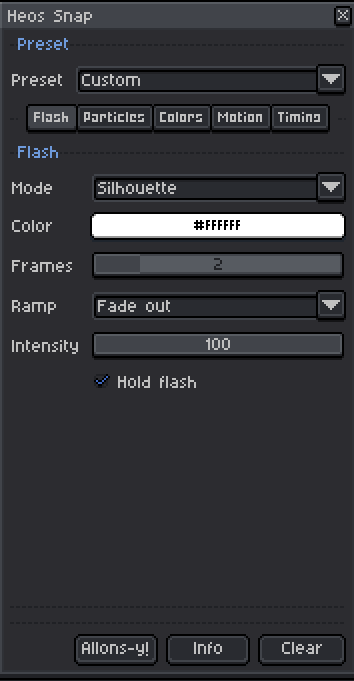
Mode: Silhouette, Tint, Additive, Halo, Bleach, or Outline only look for the flash.
Color: flash color.
Frames: number of flash frames, 0 to 12.
Ramp: intensity curve across the flash frames.
Intensity: overall strength of the flash, 0 to 100.
Hold flash: keeps the flash color through the dissolve, so the body glows while it breaks apart.
Particles Tab Parameters
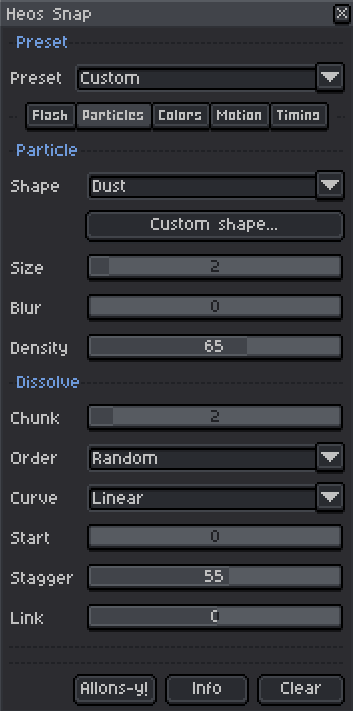
Shape: 30 particle shapes, from dust and pixels to organic blobs, sparks, or confetti.
Size: particle size in pixels, 1 to 20.
Blur: soft edge applied to any shape, 0 to 100.
Density: chance each chunk emits a particle, 5 to 100.
Chunk: size of the pieces torn off the drawing, 1 to 16 pixels, independent from particle Size.
Order: 30 dissolve orders, from Random and Center out to Outline first or Bright first.
Curve: how the delays spread across the shot, Linear, Ease in or out, Snap late or early, or Steps.
Start: dead time before the first chunk leaves, 0 to 100.
Stagger: 0 sends everything at once, 100 spreads the dissolve across the whole shot.
Link: minus keeps the body visible while particles already fly, plus erases it before they appear, -100 to 100.
Colors Tab Parameters
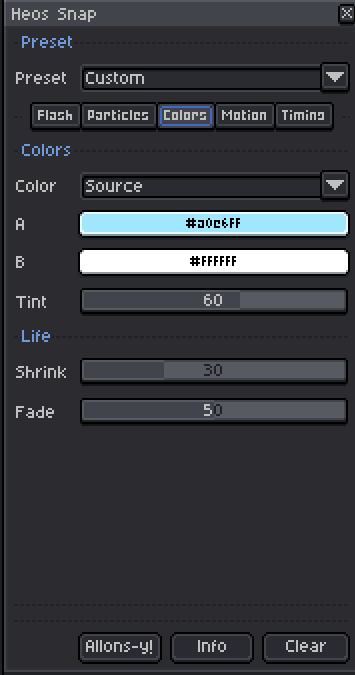
Color: 16 modes, from Source, which keeps the pixel color, to Gradient, Flash color, Hue shift, or Invert.
A / B: the two reference colors used by the tint and gradient modes.
Tint: blend amount for the tint based modes, 0 to 100.
Shrink: size lost over the particle life, 0 to 100.
Fade: share of life spent fading out, 1 to 100.
Motion Tab Parameters
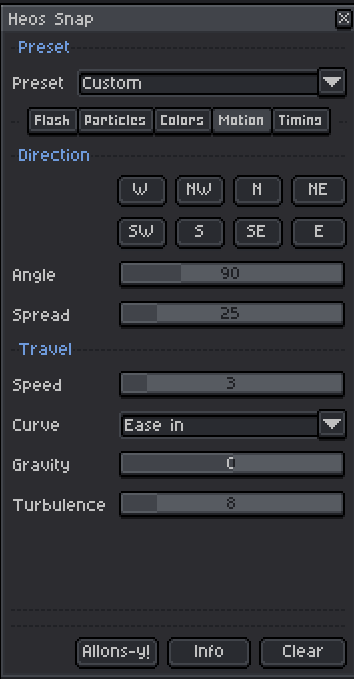
Direction buttons: 8 compass shortcuts that set the Angle slider.
Angle: escape direction in degrees, 0 is right, 90 is up.
Spread: cone of dispersion around the angle, 0 to 180.
Speed: pixels traveled per frame, 1 to 24.
Curve: acceleration profile of the escape, 8 options from Linear to Elastic.
Gravity: negative floats particles up, positive pulls them down.
Turbulence: wobble added along the path.
Timing Tab Parameters
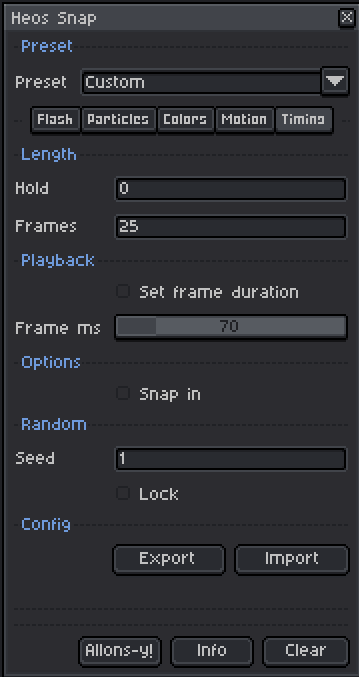
Hold: extra copies of the original frame before the flash.
Frames: length of the dissolve, in frames.
Frame duration: overrides playback speed with a fixed value in milliseconds.
Reverse: reverses the whole sequence into a materialization.
Animation: keeps Hold, Flash, and the dissolving body following your existing animation instead of freezing it on the snapped frame. Works on moving artwork too, the dissolve tracks each frame's silhouette so nothing flickers back in.
Seed: changes on every generate unless Lock is checked.
Export / Import: save or load the current configuration as a text file.
Full Presets
The Preset dropdown instantly sets all parameters, including colors, to a themed configuration. You can still tweak anything after applying. More than 30 presets available.
Compatibility
Requires Aseprite 1.3.x or later. RGB color mode only, indexed and grayscale sprites are not supported.
Tips
Combine Link with Stagger to decide how loose or tight the dissolve feels. A negative Link with a high Stagger gives a slow, trailing break-up, while a positive Link with a low Stagger gives a sharp, clean disappearance.
Turn on Animation when you're snapping in the middle of a walking, breathing, or otherwise moving loop. Off, Snap treats the artwork as a still image, which is what you want for a static pose or a single-frame sprite.
Use Export after tuning a preset you like, so you can bring it back later or share it as a text file.
To pause the effect at any point, simply hide the Heos_Snap layer. Your original art layers stay untouched underneath.
FAQ
Q: Can I use this on an existing animation? Yes. Snap only touches the frame you are on and the new frames it inserts right after it, the rest of the timeline stays as it was.
Q: Does Snap freeze my animation while it plays? Only if Animation is off. With Animation on, the drawing keeps moving under the flash and the dissolve, only the particles come from the frame you snapped on.
Q: What happens if I run it twice? Press Clear first. Running Allons-y! again without clearing regenerates in place, but Clear is the safe way to remove one effect before adding a different one.
Feedback & Support
I love seeing how you use Heos Snap in your projects. If you have questions, ideas, or just want to share what you've made, feel free to leave a comment or reach out directly. It's always great to see your work in action.

If you found this tool useful, taking a moment to leave a rating really helps. Thanks for the support. ❤️
Purchase
In order to download this tool you must purchase it at or above the minimum price of $3.99 USD. You will get access to the following files:
Leave a comment
Log in with itch.io to leave a comment.