
PaperStudio --Collage App
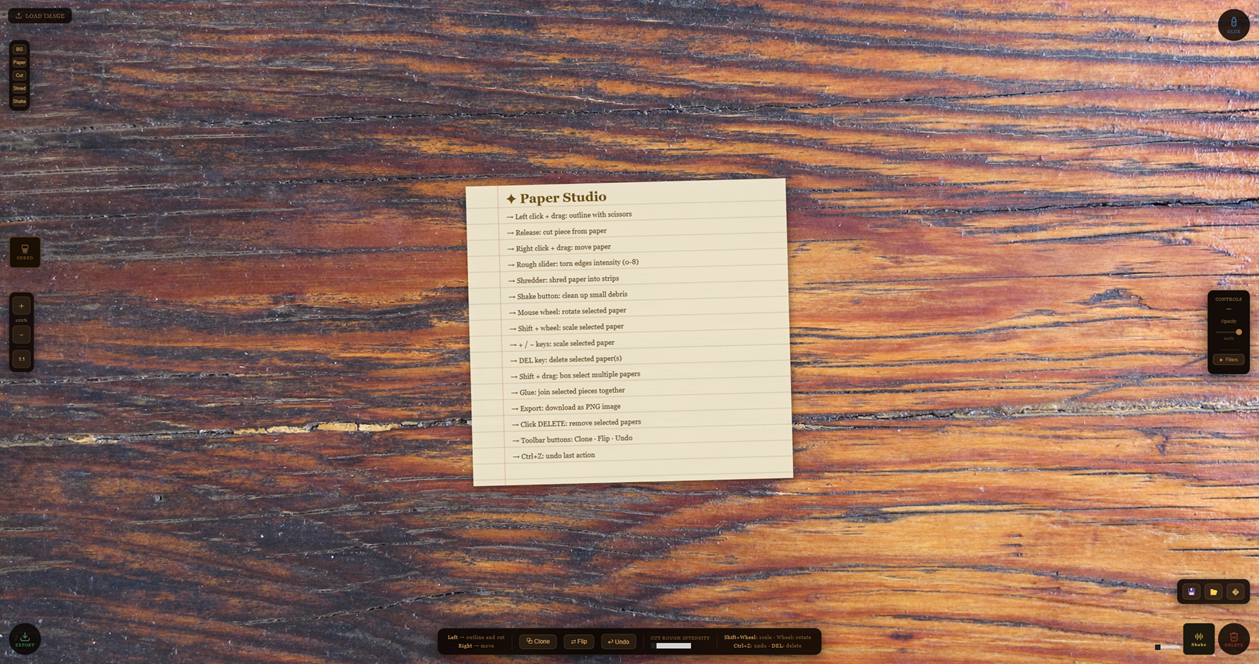
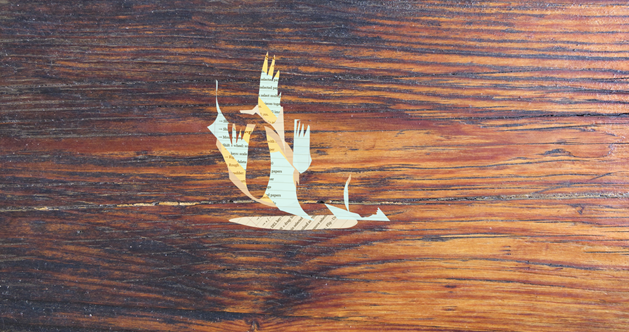
Paper Studio is a relaxing experience and a creative tool that allows you to import your favorite images, cut them out freehand, and create unique collages right in your browser.
Feel the texture of the paper, hear the sound of scissors, and let your imagination run wild on a cozy wooden desk. It is ideal for making mood boards, digital scrapbooking, or simply relaxing by cutting and pasting.
Key Features
- Freehand Cutting: Use your left click like a pair of scissors. Trace the outline of what you want to cut, and the program will separate the piece.
- Tactile Assembly: Drag your cutouts to the GLUE zone to join them and create more complex compositions that move as a single piece.
- Import and Export: Upload any image from your computer to start working. When you finish your artwork, drag it to the EXPORT zone to download it as a PNG file with a transparent background.
- Immersive Atmosphere: Enjoy the satisfying sound effects of crinkling paper and cutting scissors as you work.
- Fully Customizable: Want a different vibe? You can change the background desk image and upload your own audio files for the paper and scissors sound effects.
- Studio Tools: Clone pieces, flip them horizontally, scale them without losing quality, and easily undo your mistakes.
Controls
The interface is designed to feel like working with your hands:
- Left Click + Drag: Draw the outline with scissors → Release to cut
- Right Click + Drag: Drag and move paper pieces
- Mouse Wheel: Rotate the selected piece
- Shift + Wheel: Scale the selected piece
- Keyboard + / −: Scale the selected piece
- Double Click: Restore the original rotation (0 degrees)
- Ctrl + Z: Undo the last action
- Delete (DEL): Delete the selected piece(s)
- Shift + Drag: Box select multiple pieces
Interactive Buttons:
- Shake Button: Clean up small debris pieces (adjustable threshold: 300–2500 visible pixels)
- Delete Button (↘): Click to delete selected pieces or drag and drop
- Shredder: Shred paper into strips with squares, diagonal or straight patterns
Toolbar (Down):
- Clone: Duplicate selected pieces
- Flip: Mirror selected pieces
- Undo: Undo last action
- Rough Slider: Control torn edge intensity (0–8)
Corner Zones (Drag pieces toward):
- Top Right (↗): Apply glue to join pieces
- Bottom Right (↘): Delete piece
- Bottom Left (↙): Export workspace as PNG
Features:
- Connected Cut Detection: When cutting creates disconnected pieces, they automatically become separate objects
- Shake Threshold Slider: Adjust how aggressively Shake removes small pieces
- Selection System: Shift+drag to select multiple pieces at once
- Custom Sounds: Load custom sounds via zip file (paper, scissors, shred, shake)
💬 Feedback & Support
I love seeing how you use PaperStudio in your projects. If you have questions, ideas, or just want to share what you’ve made, feel free to leave a comment or reach out directly. It’s always great to see your work in action.

If you found this tool useful, taking a moment to leave a rating really helps. Thanks for the support ❤️
------------------------------------------------
V2: Touchscreen stand for phones and tablets
Leave a comment
Log in with itch.io to leave a comment.