Heos Variants
A downloadable tool
Heos Variants is a Lua script for Aseprite that generates color variants of your sprite in one pass, using harmony rules, hue shifts, temperature, or one of 65 built-in palette ramps. Perfect for exploring palette ideas, building concept sheets, testing mood variations, or animating color cycles without touching a single pixel by hand.
Examples
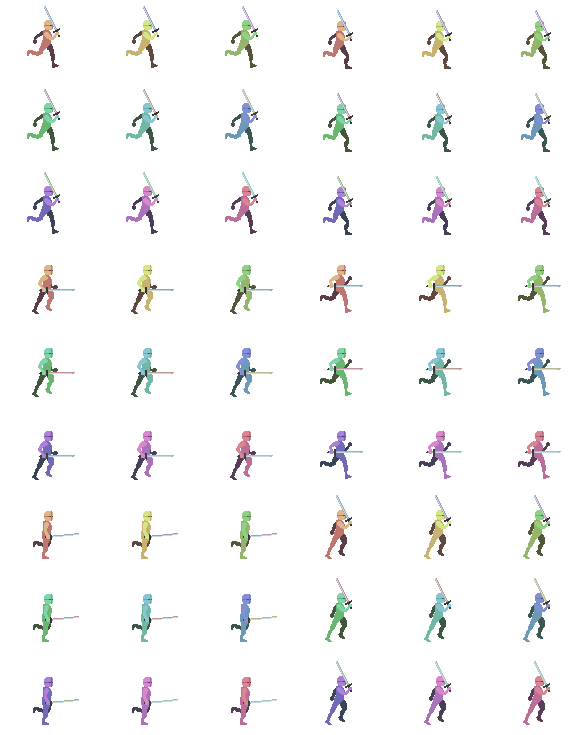
Original:

Rule: Random
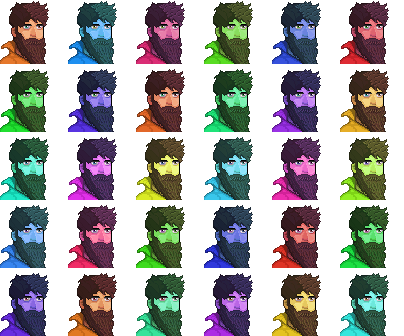
Rule: Presets:
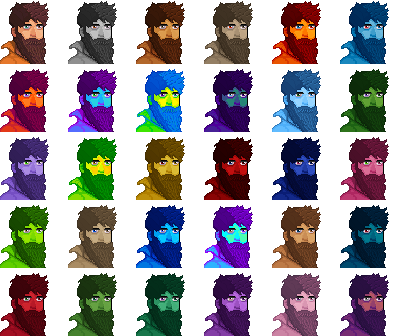
Rule: Temperature:
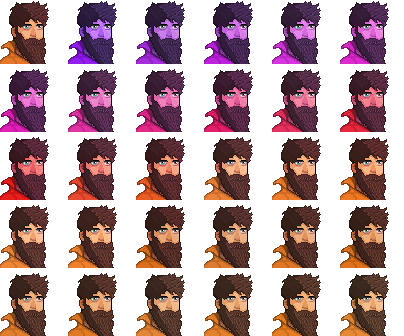
More rules: Harmony, hue shift, mono, swap...
Supports animations:
If you want more precise control, you can try Heos Gradient
Workflow
1. Open: run the script on the sprite you want to vary.
2. Hide: hide the layers you do not want copied.
3. Choose: pick a Rule and, for Presets, mark the palettes you want.
4. Generate: press Allons-y! A new file opens with the variants sheet.
5. Reroll: Rnd rolls a new Seed and builds again.
6. Iterate: Allons-y! replaces the last unsaved sheet.
How Variants Work
The script reads every visible pixel at canvas size, extracts the colors actually used, and groups them by hue proximity. Each group is then transformed as a whole. Shading survives: a shadow stays darker, a highlight stays brighter, only the hue moves.
Groups: colors close in hue are treated as one, so gradients and outlines stay coherent.
Rules: each rule defines how groups move. Harmony, Hue shift, Mono, Presets, Random, Swap, Temperature.
Deterministic: same Seed, same output. Nothing is random between runs.
Variants Tab Parameters
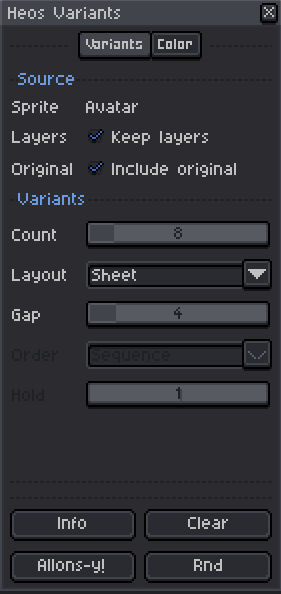
Keep layers: on, the output keeps original layer names, opacity, and blend mode. Off, everything is merged into one layer.
Include original: adds the untouched drawing as the first cell or frame.
Count: number of variants to generate (1 to 64). Disabled when Rule is Presets.
Layout: Sheet builds a grid with all frames per variant. Cycle places one variant per frame in place.
Gap: empty pixels between cells in Sheet mode (0 to 32).
Order: sequence of variants in Cycle mode. Sequence, Hue, Random, Ping-pong.
Hold: frames each variant stays on screen in Cycle mode (1 to 8).
Color Tab Parameters
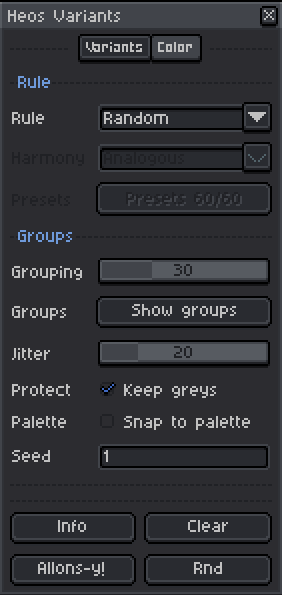
Rule: transformation applied to groups. See the Rules section below.
Harmony: harmony type when Rule is Harmony. Analogous, Complementary, Triad.
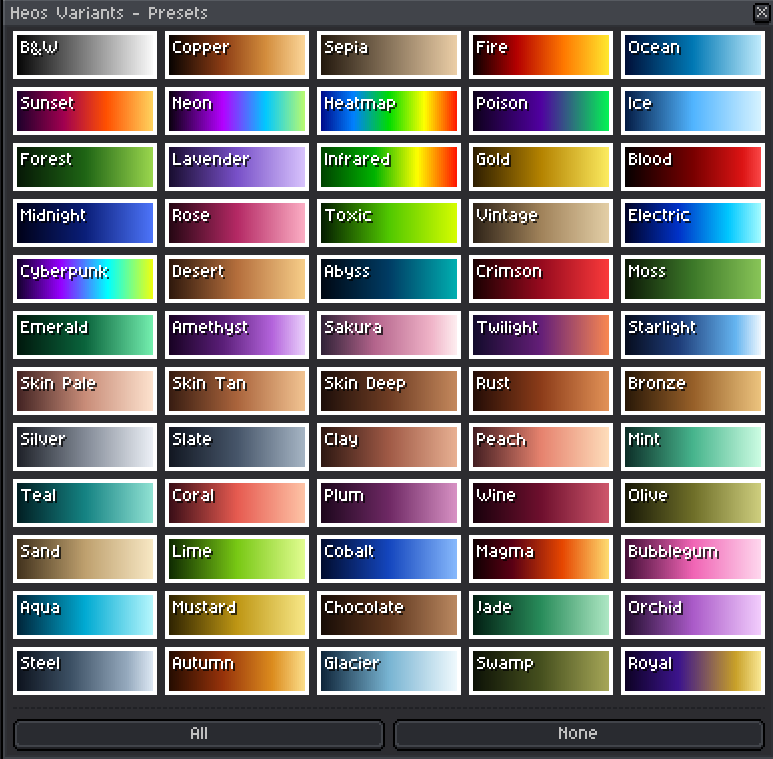
Presets: opens the palette window. Click a ramp to mark or unmark it.
Grouping: hue tolerance in degrees (5 to 90). Lower makes more groups.
Groups: opens a preview of the detected groups. P marks protected colors.
Jitter: random saturation and value variation (0 to 100).
Keep greys: greys, near-whites, and near-blacks are left untouched.
Snap to palette: every new color is snapped to the nearest one in the document palette.
Seed: controls the random. Same Seed, same output.
Rules
Harmony: the largest group gets a random hue, the rest follow in harmony.
Hue shift: one global rotation, spread evenly across variants.
Mono: one single hue for the whole drawing, values and shading preserved.
Presets: one variant per marked preset, in order.
Random: a new hue per group. Exploratory.
Swap: groups trade hues among themselves. With one group, a random rotation.
Temperature: from cool to warm, spread evenly. Colors already close barely move.
Presets
65 built-in ramps, from B&W to Cyberpunk. The Presets window shows each ramp as a strip you can click to mark or unmark. Unmarked ramps appear dim. Use All and None for quick selection. If nothing is marked, every ramp is used in order.
Layout Modes
Sheet: every variant in a grid, left to right, top down. The original, if included, is the first cell. Each cell holds every frame of the source. Good for comparison sheets.
Cycle: every variant in the same place, one per frame. The original keeps its animation under the recolored version. Good for animated color cycles.
Protect
Keep greys: greys, washed whites, and near-blacks stay untouched. Outlines, eye whites, and metal are safe.
Palette selection: colors selected in Aseprite's palette panel are protected. Select an eye or emblem color to keep it.
P in Groups: the Groups window marks protected colors with a P row.
Tips
Start with Rule Random, Grouping 30, Jitter 20 for quick exploration. Switch to Harmony or Presets once you find a direction you like.
Open Groups before generating. If two parts you wanted separate merged into one, lower Grouping. If everything moves as one block and you wanted more variety, raise it.
For animated color cycles, use Cycle layout with Order Hue and Hold 4 or more. The original animation keeps playing under the recolored version.
If a color you want to keep is being shifted, select it in the palette panel before generating, or enable Keep greys for greys and near-blacks.
Compatibility
Requires Aseprite 1.3.x or later. RGB sprites only. The output is a new sprite, unsaved, named after the original with _variants appended. Sheets wider or taller than 8192 pixels are refused.
FAQ
Does it modify my sprite? No. A new file is opened. The original is never touched.
Can I use indexed sprites? No. The script needs RGB. Convert the sprite first if needed.
The sheet is too big. What now? Lower Count or Gap. Sheets over 8192x8192 are refused with a warning.
Why did two parts merge into one group? Their hues were within the Grouping tolerance. Lower Grouping to split them.
Feedback & Support
I love seeing how you use Heos Variants in your projects. If you have questions, ideas, or just want to share what you've made, feel free to leave a comment or reach out directly. It's always great to see your work in action.

If you found this tool useful, taking a moment to leave a rating really helps. Thanks for the support.
Purchase
In order to download this tool you must purchase it at or above the minimum price of $2.99 USD. You will get access to the following files:
Leave a comment
Log in with itch.io to leave a comment.